Hey everyone! To reiterate my opening sentence from last time: It’s been a while since I last posted, but don’t worry, I’ve been keeping busy.
Normally, I’d dive into the technical details, but not this time. It’s been too long, there’d be too many of them, and even I don’t remember them all. I’d have to read through and summarize ~1200 commits, and if I wanted to spend my time doing that kind of thing, I’d get a job as an LLM.
Instead, how about we skip to the part everyone cares about? The Run 1 and Run 2 remakes are both close to completion, with all levels (plus Infinite Mode in Run 1) working. However, both games still have a list of issues.
Run 3 remains on the back burner until those first two are ready.
Run 1
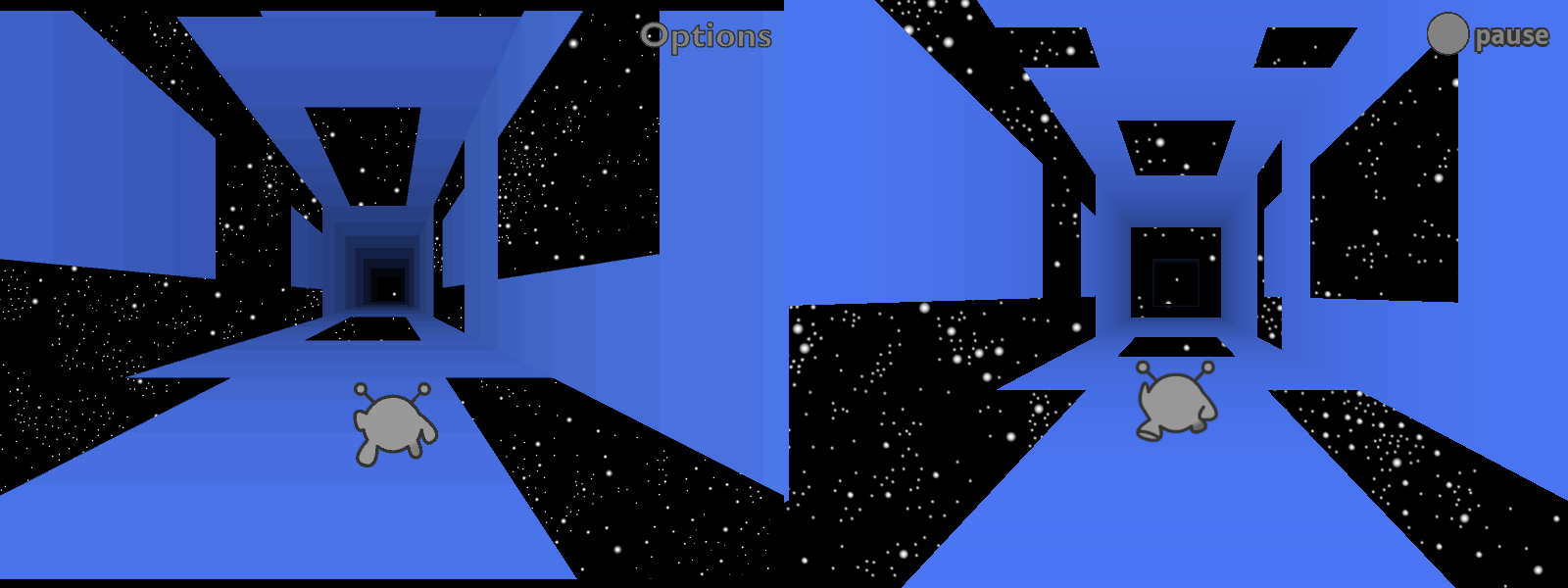
I’ve already released an HTML5 remake of Run 1 (which I consider to have been a beta version), but since then I rewrote most of Runaway (the underlying engine), so I’ve had to redo most of Run 1 as well. It’s coming along well so far, and since I invested in building solid foundations, fixing the remaining problems should be relatively painless.
Adventure Mode is nearly done. The levels are unchanged, but I’ve been playing around with the physics, trying to make the game feel nicer but still close enough to the original. I’ve also done my best not to mess up game balance. I know people like Run 3’s physics, but those would make Run 1 too easy.
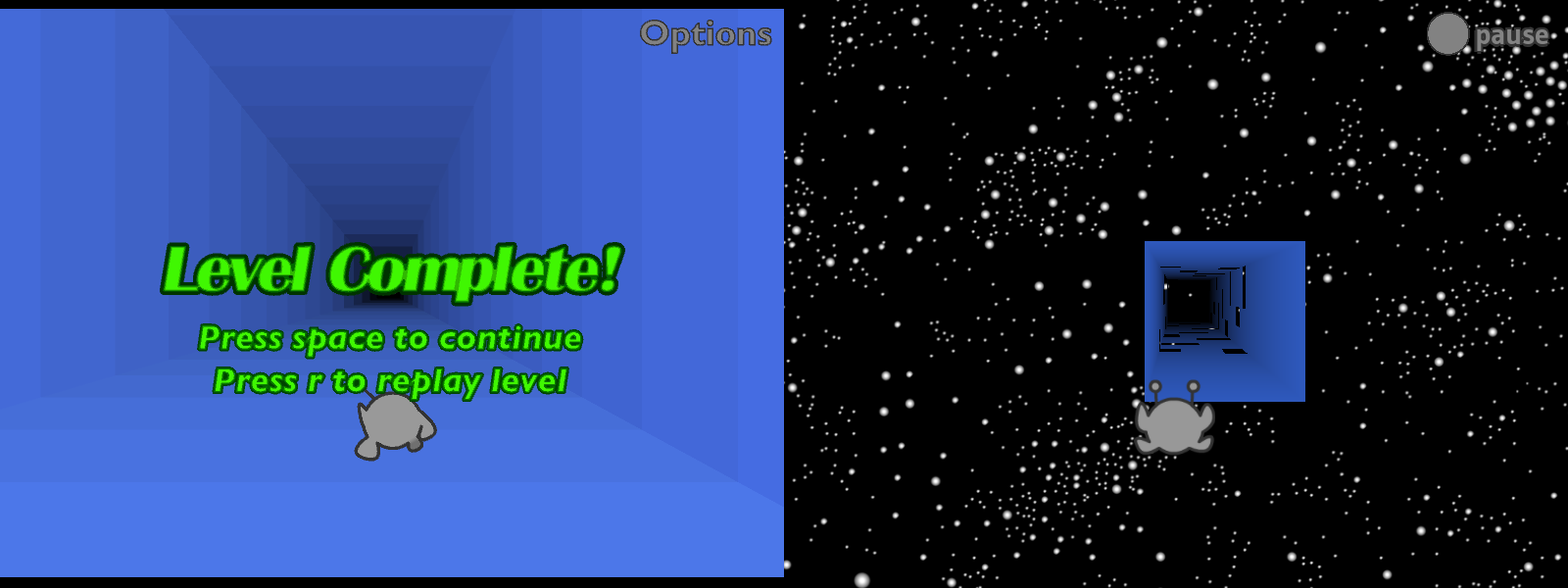
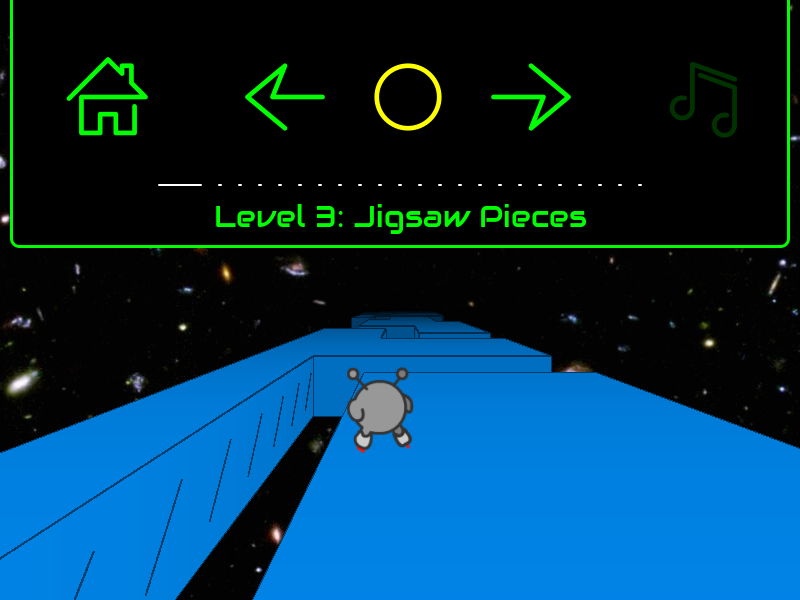
There’s still more to do for Adventure Mode. For one thing, it saves your progress but can’t load it, so you always restart from level 1. Also, there’s no ending, and the level transitions are missing something. At the moment I’m still using the “flying through space” level transition from the beta, but it’s less interesting without all the tiles zooming into place. Either I need to recreate that animation, add other scenery to look at, or go back to the original “endless tunnel” version.
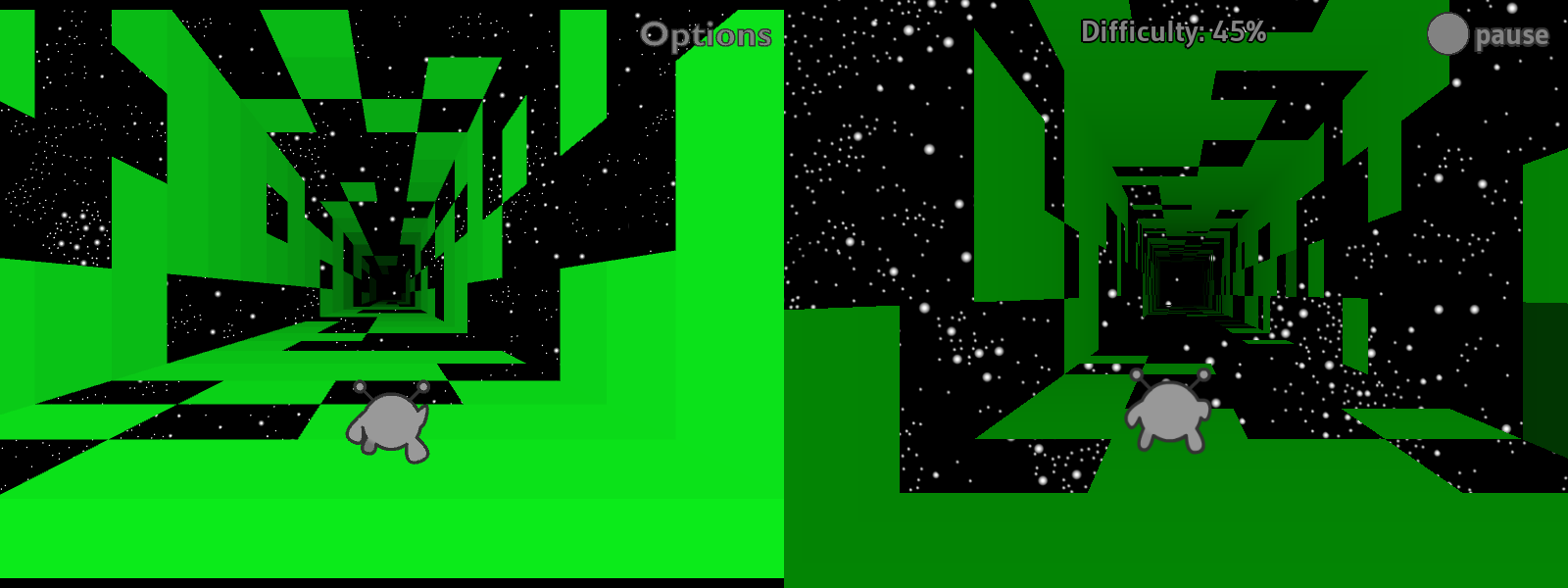
Infinite Mode is finally working! This one took a while.
I tried to adapt the original level generation code, but something went wrong along the way. The new generator makes levels that are both harder and less visually coherent. As for why it’s green, I haven’t gotten around to adding multiple colors yet.
In previous status updates, I talked about how Run 1’s Infinite Mode required an overhaul of how levels were loaded. At the time, my plan was to place the levels in 3D space, loading them as soon as two conditions were met: (1) the camera was almost close enough to see them, and (2) the player beat the previous level. The original version of Run 1 would only load a new level once the previous one was over, and it’d use the player’s performance to determine the difficulty of the next level. The more you fell, the less difficulty would increase (though it would always go up by a little).
Well, I did that. And then I did something else instead. Whoops!
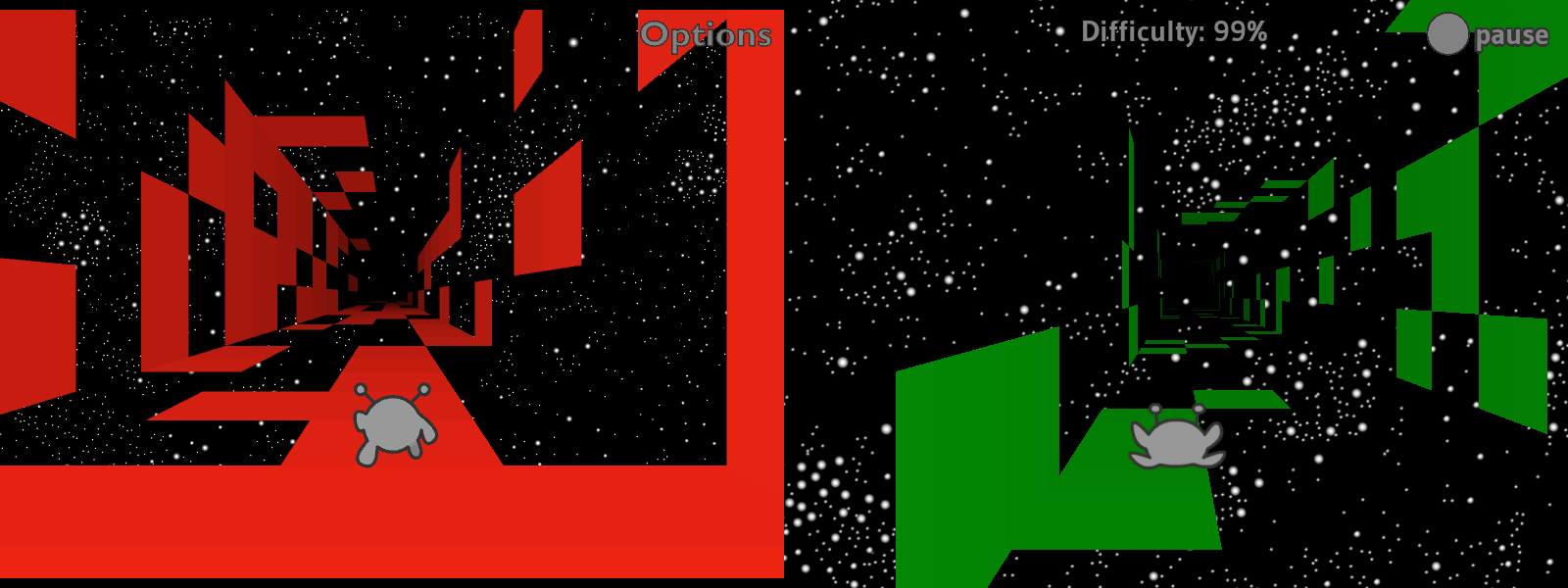
Now, Infinite Mode levels load based on the camera’s position (1), without waiting for you to beat the previous level (2). The difficulty increases as you make progress, and the tiles update in real time, which I think makes for a cool effect. (Also, the difficulty decreases each time you fall.)
I like this concept, and it took a fair bit of work to make it happen, but I’m not sure I like how it feels in practice. Pros: if it generates an unfair level, things will get easier once you fall off a couple times. Cons: it feels less like you’re making progress if you can just lose it again. In the original version, any progress you made was locked in. I could go back to that, but I think (hope) this should be fixable while keeping the cool new real-time updates.
Finally for Run 1, there’s currently no Edit Mode or costumes. I’ve got a working editor in Run 2, and I should be able to import that without too much trouble. Not sure what I want to do about the costumes, though. Do I keep them as costumes, or is it worth the time to flesh them out into separate characters with unique abilities?
Run 2
For those who weren’t there, in late 2024 I rebuilt Run 2 in a series of livestreams, better than before. New UI icons, touched up levels, clearer indicators of where you can and can’t rotate gravity, higher-resolution backgrounds, and a new sci-fi font.
I’m sorry it’s taken so long to get this thing out. Many of us (me included) expected it to be out by now, but some of the remaining problems proved stubborn. At this point, I’m going to wait until I’m ready to release both remakes at once.
Here’s what was broken as of my last stream.
The player character stutters, as if updating at a low framerate. The rest of the game moves smoothly, so it’s not actually a performance issue. And Run 1, which is using the same engine, doesn’t have this issue. Still don’t know what’s up with this.
Sometimes when you deleted a cube in Edit Mode, it wouldn’t disappear, but you could fall through it. I’m happy to report that this is now fixed!
Sometimes when you added a new cube, nothing would show up but it would still be solid. Also fixed!
Often when you clicked and dragged to “paint” several cubes at once, it would place some in the wrong layer (usually one layer closer to the camera than expected). Fixed!
There’s no way to edit level properties (color, dimensions, title, etc.) other than manually editing the level data. I still haven’t done anything about this.
Though you could save levels, there was no way to load them. I’ve since added a basic text box to paste level data into, and levels do load successfully, but this promptly revealed a bunch more issues.
The UI isn’t built to deal with standalone levels like this, so the next/previous/bonus buttons do nothing and display incorrect data. They always indicate that there’s a previous level and that you haven’t beaten the current level or earned its bonus. When you do beat the level it says “press jump to continue,” but you just jump normally since there’s no next level to go to.
I didn’t program the levels to unload, so they just stay around until you quit to the main menu. This lets you load multiple levels on top of one another, though you can only interact with the most recent one.
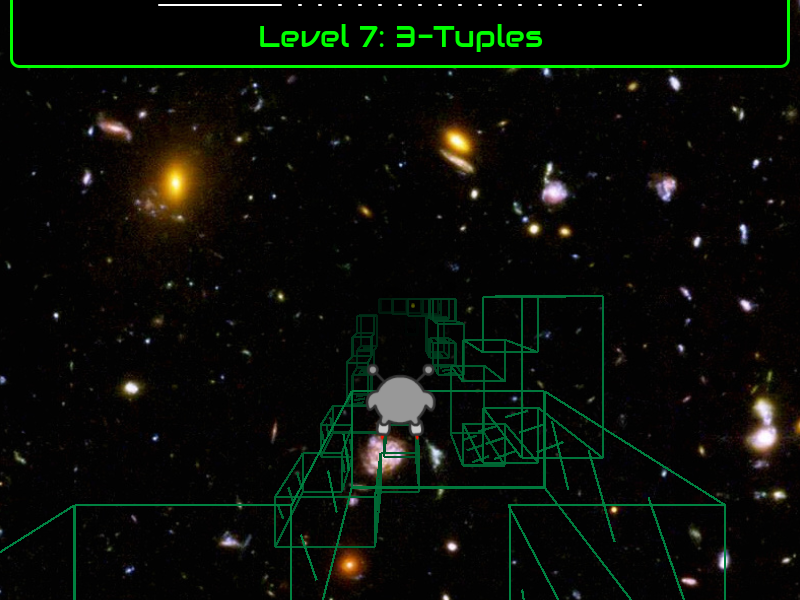
In addition to all that, a new rendering issue popped up. If you leave a level and then navigate back to it using the pause menu, only the level’s outlines will appear. I distinctly remember having fixed this at one point, but no, it’s still here.
This looks pretty neat in some cases, so I might add official support for it later. But I can’t keep the bug itself, as some levels lack outlines, and with neither fills nor outlines they end up being fully invisible. Good luck playing those!
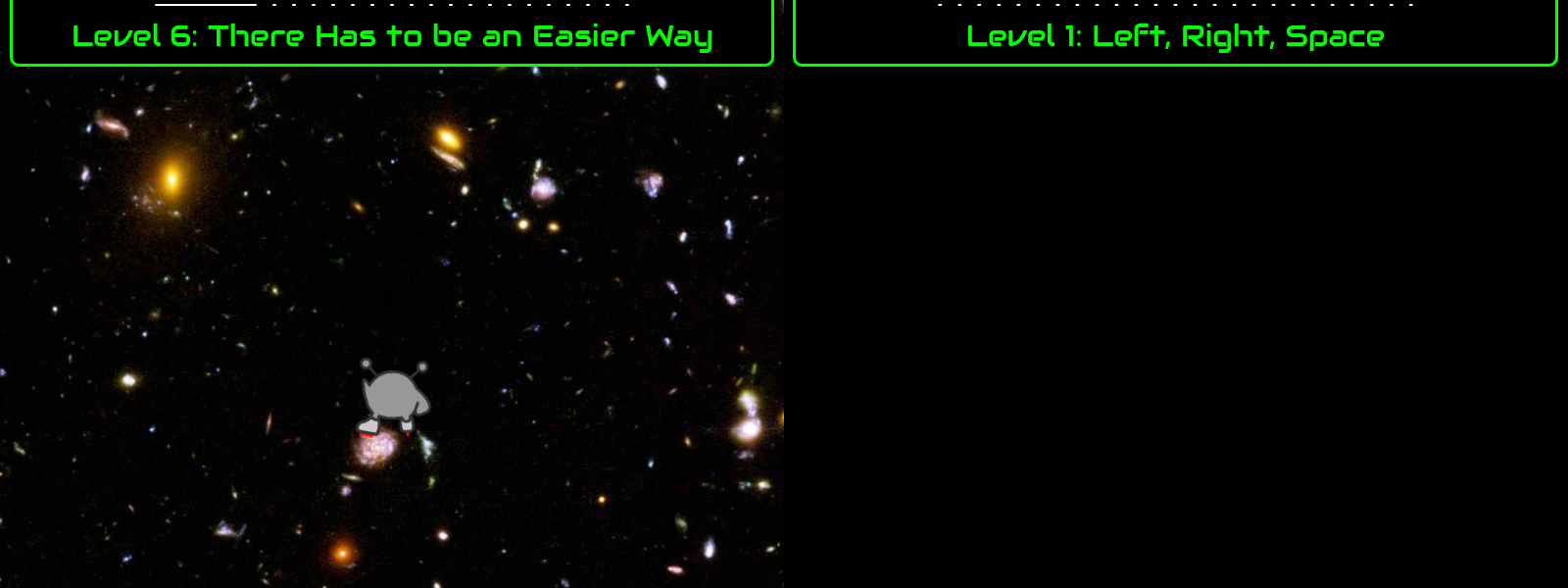
As if all that wasn’t enough, I recently tried building for HTML5. It starts out in outline mode, and then the scene goes completely black if you ever move left or right. You can’t complete (or fail) the level in this state, but everything comes back if you reset, so it’s not like the game crashed. I suspect the Runner’s coordinates are getting divided by zero.
What next?
I plan to fix everything mentioned above. When these games come out, I want you to be able to do everything you could do in the original. I’ll try to leave it at that, and not get distracted working on new features. Though it occurs to me as I write this that an “import save” feature would help a lot. Then you can pick up exactly where you left off.
I also want to do some marketing, to build interest. Keep an eye on this blog and my YouTube channel for updates.
I’ve recently finished overhauling this site. If you’ve noticed anything different around here, this is why. (If you haven’t, sweet! That was my goal.)
Along the way, I improved the site’s security (both front- and backend), wrote a bare-bones privacy policy, and tidied up some old posts and images. I considered big changes like switching to a more recent theme, but most of them broke something or would require extra work, and might confuse visitors. So instead, I aimed to keep it as close to the old version as possible.
(Note: I have no evidence that anyone ever exploited these vulnerabilities in the wild.)
Who?
I don’t actually know who runs cryptcheck.fr, other than that they’re French and highly opinionated. The site was recommended by a security geek on social media, and as we all know, geeks on social media are infallible.
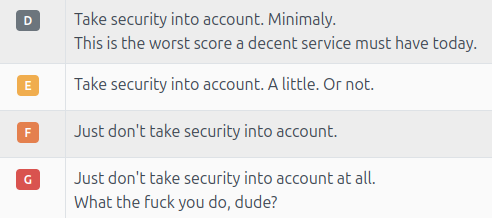
Whether or not I felt like trusting CryptCheck, Mozilla corroborated them. Their HTTP Observatory gave me a 40/100 (D-). Thankfully, unlike CryptCheck, Mozilla provided detailed descriptions of what was wrong, why it was wrong, and how to fix it.
What and why?
I was allowing unsafe inline scripts. This meant that if someone found a way to insert text into the page, they could run a script in another visitor’s browser, potentially stealing data or directing them to a virus. (WordPress sanitizes comments, but you never know when someone will find a way to bypass that.)
I was allowing other sites to embed mine in an iframe. In theory this can be used to steal user data, though in practice, what is there to steal?
I wasn’t implementing HTTP Strict Transport Security (HSTS), meaning http://player03.com didn’t redirect to https://player03.com early enough in the connection process. It did redirect eventually, but the initial connection was done over http, which would technically be enough for someone to intercept the data and redirect users to a fake site.
How?
The easiest one to fix was iframe embedding. I opened up the root .htaccess file and added two lines. The first line sets X-Frame-Options "SAMEORIGIN", telling browsers not to let other sites embed mine. The second line sets frame-ancestors 'self', telling browsers not to let other sites embed mine. I think the difference is that the former is for old browsers and the latter is for new ones.
Next, I had to disable inline scripts. This isn’t hard to do: just delete 'unsafe-inline' from .htaccess. The trick was, I wanted my site to continue working afterwards, and some of my fancier blog posts made heavy use of inline scripts. I’d have buttons that you click, each with its own onclick="do.unique.thing()" inline script.
To fix this, I went through all my blog posts and figured out a way to replace these scripts. Turns out, while onclick="xyz" is unsafe, you can just move xyz into a .js file, and then it’s safe. The site uses HTTPS, which means all the .js files are cryptographically signed, so there’s no tampering with them during transit. I also submitted a pull request to Lime to remove inline scripts from Lime apps.
WordPress uses its own inline scripts, and I couldn’t transfer those. Instead, I manually approved them using SHA-256 hashes. These scripts will run as long as they’re completely 100% identical to the versions I approved, but even adding or removing a space would make browsers reject them. This ALSO means that I can expect parts of the site to break when WordPress updates, and I’ll need to manually re-approve it. WordPress is working on clearing out inline scripts, but not quickly.
Finally, HSTS and redirection. HSTS is easy: add a single line in .htaccess, promising to keep using HTTPS for a year. As for redirection, it’s just a couple more lines of code… that didn’t work. Each time I tried, it broke the whole site. Digging deeper, I realized these lines could not go in .htaccess, and what’s more, I didn’t have access to the correct file.
Where?
I needed access to the Apache server configuration files. However, I was on shared hosting, and being able to mess with those files would mean I could mess with other people’s websites (and they could mess with mine). Understandably it wasn’t allowed.
To do this one last little thing, I needed to move my entire website over to a whole new server, one under my control. On the plus side, it turns out that virtual private servers are cheaper than shared hosting, at least when you get the self-managed option. Pros of self-managed: I’m in full control, and no longer need to ask permission to change settings. Cons of self-managed: I’m in full control, and with great power comes great responsibility.
Since I had already spent time configuring Apache settings, I picked a LAMP stack (the A stands for Apache) over LEMP (the E stands for Nginx). My hosting provider offered a one-click install, but that didn’t work so I installed it myself. I set up firewall rules, an https redirect, restricted accounts for each service, SSH access, SELinux, and various other security measures. After briefly confusing FTPS and SFTP, I bulk-uploaded the site’s contents.
Aside: either guides have gotten better since 2014, or I’ve gotten better at following them, because everything ended up working as described. I did run into snags, but I was either able to work through them quickly enough, or I’d discover that there was a good reason it wasn’t allowed. I ended up with an aggressively basic setup, and I’m happy with that: basic means easy to verify.
When?
This Tuesday, I updated my DNS records to point to the new site.
Several things immediately broke, most notably the CSS, due to URLs still pointing to the test version of the site. My Content Security Policy (CSP) specified that scripts and styles must be loaded from 'self', not some strange alternate-dimension version of 'self' at a different web address. (It was the same thing, but browsers couldn’t verify that, so didn’t trust it.) I updated the site link in the WordPress dashboard and Apache config files, and things went back to normal.
Then I encountered another issue: my hosting provider unexpectedly restored the site’s old DNS record, in addition to the new ones. This left visitors with a 4/5 chance of getting the correct site, but a 1/5 chance of being sent to the old one, which was now broken due to the same sort of URL issues described above.
The reason this broke? Their nameservers were for shared hosting, and I wasn’t supposed to use them anymore.
So I set up my own nameserver on the VPS. Now, when you connect to my site, your browser contacts my server for instructions on how to contact my server. Seems weird, but there are several guides for exactly this, so I suppose that’s just the world we live in.
Is that all?
First off, rude, this took over a week of research and work.
Second, no, it’s not all. I have a short list of things still to do, and I’m sure there will be user-reported issues. I’ve already received one such report: apparently Run3.swf no longer works in the standalone Flash Projector. (Not sure how to debug this, sadly. If anyone has solid information on how the Flash Projector loads files, let me know!)
It’s been a while since I last posted, but don’t worry, I’ve been keeping busy.
Last time, I talked about spending the first half of 2022 working on Lime. Since then, most of my changes were categorized and merged. Small bug fixes are to be released in v8.0.1, while everything that counts as a new feature will come out later in v8.1.0. Except for the two huge changes that I spent 4+ months on; those have to wait for v8.2.0 because we want more time to test them.
I spent most of the second half of 2022 on my own projects, gradually working my way up through the layers Run is built on.
Over the summer, I rewrote and documented practically the whole codebase. I fixed bugs, cleaned up the unit tests, added new features like better timekeeping, wrote lots of documentation, and generally improved maintainability. But I never lost sight of my goal, which was to get back to work on Runaway. I only added features that I knew I’d need immediately, rather than trying to plan ahead too far.
Runaway
Between August and October, I split my time between Echoes and Runaway, gradually shifting towards the latter but going back to Echoes whenever I found a new bug or needed a new feature. And the first part of Runaway I rewrote was the math. Math is fundamental to games, and it’s worth doing right.
Here, MotionSystem performs two basic operations. First it uses Acceleration to update Velocity, then it uses Velocity to update Position. Because this code gets run every frame, it produces the appearance of 3D motion.
To keep things simple for that post, I handled x, y, and z on separate lines. However, you really shouldn’t have to do that. Any decent math library will provide a more concise option. Before August, that was this:
class MotionSystem extends System {
    @:update private function accelerate(acceleration:Acceleration, velocity:Velocity, time:Float):Void {
        Point3Utils.addProductOf(velocity, acceleration, time, velocity);
    }

    @:update private function move(velocity:Velocity, position:Position, time:Float):Void {
        Point3Utils.addProductOf(position, velocity, time, position);
    }
}
Convenient! I know typing out Point3Utils.addProductOf() every time could get annoying, but it still beats OpenFL’s Vector3D class:
var scaledAcceleration:Vector3D = acceleration.clone();
scaledAcceleration.scaleBy(time);
velocity.incrementBy(scaledAcceleration);
Not only is Vector3D less convenient, you have to make a temporary object. For one object that’s fine, but video games can do hundreds if not thousands of these operations per second, and all of those temporary objects have to be garbage collected.
It’s at least possible to make Vector3D more convenient. Just add a “scaledBy()” function that calls clone() and then scaleBy(), combining lines 1 and 2 above. It still has the garbage collection problem, but at least the code looks neater:
But wait! It turns out you can avoid the garbage collection problem too, using inline constructors.
If we inline Vector3D’s constructor and functions, then the Haxe compiler will copy all that code into our function call. After moving the code, the compiler will be able tell that the clone is temporary, and doesn’t actually need to be allocated. Instead, the compiler can allocate local x, y, and z variables, which incur no garbage collection at all. Sadly, pretty much none of Vector3D is inlined (either for backwards compatibility reasons or because this isn’t a priority for OpenFL).
So I looked elsewhere. As luck would have it, the hxmath library provides a fully-inline Vector3 type. Not only does this solve the garbage collection issue, hxmath’s Vector3 offers a lot more features than OpenFL’s Vector3D. (IMO, hxmath is the best math library on Haxelib. Not that there’s much competition.) In particular, it allows you to use operators wherever such operators make sense:
class MotionSystem extends System {
    @:update private function accelerate(acceleration:Acceleration, velocity:Velocity, time:Float):Void {
        velocity += acceleration * time;
    }

    @:update private function move(velocity:Velocity, position:Position, time:Float):Void {
        position += velocity * time;
    }
}
(As of this writing, the += operator isn’t available on Haxelib. But it should come out in the next release.)
I initially planned to join forces, submitting improvements to hxmath rather than creating yet another math library. I submitted fixes for the bugs I found, but as I looked closer I started to find more and more things I’d do differently, as well as a couple inconsistencies. Anyone already using hxmath wouldn’t like sudden changes to function names or the order of a matrix’s elements. Breaking changes are always a hard sell, and I’d need to make a lot of them before I could use hxmath for Runaway.
So I began working on my own math library (working name “RunawayMath”), using the knowledge of macros I gained from working on Echoes. Specifically, I wrote macros to handle the repetitive parts. For instance, my Vector3 class can do in 13 lines what hxmath does in ~55.
@:elementWiseOp(A + B) @:inPlace(add)
private inline function sum(other:Vector3):Vector3;

@:elementWiseOp(A - B) @:inPlace(subtract)
private inline function difference(other:Vector3):Vector3;

@:elementWiseOp(A * B) @:commutative @:inPlace(multiply)
private inline function product(other:Vector3):Vector3;

@:elementWiseOp(A * B) @:commutative @:inPlace(multiplyF)
private inline function productF(scalar:Float):Vector3;

@:elementWiseOp(A / B) @:inPlace(divide)
private inline function quotient(other:Vector3):Vector3;

@:elementWiseOp(A / B) @:inPlace(divideF)
private inline function quotientF(scalar:Float):Vector3;

@:elementWiseOp(-A) private inline function inverse():Vector3;
@:elementWiseOp(A + B) tells the macro that when you type vectorA + vectorB, it should make a new vector with the sum of their elements (vectorA.x + vectorB.x, vectorA.y + vectorB.y, and vectorA.z + vectorB.z). @:inPlace tells the macro to enable the corresponding assign operator (+= and so on).
With macros in place, I was able to quickly churn out data types. First I re-implemented most of hxmath’s types, like vectors, lines, and quaternions (but skipped matrices because I don’t need them yet). Then, I added brand new ones, including spheres, planes, orthonormal bases, bivectors, and Bézier curves. At some nebulous point in the future, I plan to implement matrices and rotors.
I made sure to write unit tests as I went, something I’d never bothered with before. As a result, I’m confident that these new types will be less buggy than my old code. Notably, Run 1’s beta lacks shadows due to some sort of error in either my raycast code or my quaternion code. I never managed to find the issue, but I bet my new code will fix it without even trying.
I could go on about all the new features, but I really should save that for some other post.
Practical applications
By November, I was ready to start making use of all this mathematical awesomeness, by returning to the fundamentals of any platformer: running and jumping.
Well, running specifically. It’s the name of the game, after all!
Side-to-side movement
It isn’t really a secret that Run 1’s HTML5 beta looks and feels different from the Flash version, and part of that is the way the Runner moves side-to-side.
The old formula for acceleration (in Flash) used the slow Math.pow() function to produce a specific feeling. When I used a totally different function in HTML5, it produced a different feeling. I did that because I figured that if Run 3 didn’t need Math.pow(), Run 1 didn’t either. Problem was, I wasn’t very careful writing the new formula.
Now back to November 2022. This time, I wanted to try a suggestion I read in an article or social media comment. The idea is to graph speed vs. time, letting you see (and edit) how fast the player character accelerates.
The simplest case is constant acceleration. You gain the same speed every frame (until you reach the maximum), producing a straight line on the graph.
But that’s restrictive, so what about curved acceleration? Specifically, how about using those Bézier curves I mentioned above? It’s easy to get acceleration from a curve that represents velocity, and it lets me play around with a lot of options to see how they all feel.
And that’s without even changing the top speed or acceleration duration. I meant it when I said a lot of options. (Click to view.)
Out of all those options, I think the ones with high initial acceleration (convex shapes) feel the most natural.
The initial burst makes the controls feel more responsive, and then they gently approach the top speed so there’s no sudden jerk. Not only that, it’s true to life: as someone picks up speed in real life, air resistance gets stronger and they accelerate slower.
That said, the curves I showed above are extreme examples. Usually I aim for a bit less acceleration at first and leave a bit of jerk at the end. That way, it’s more obvious that you’re continuing to gain speed over time.
I don’t know which of these most closely matches the original Run 1, but I plan to find out.
Other basic components
By the way, my colorful-square demo app is more than just a rolling simulator. It’s actually a small platformer demo, with collisions and jumping and all that. Just… without any actual platforms, yet.
The “Mobility” button brings up the acceleration graph I’ve already shown. The “Jump” button lets you control how high each type of jump goes (or to disable specific types such as midair jumps). “Air” lets you tweak air resistance and wind speed.
But that’s far from all the components that went into this app. I also took the chance to rewrite and test each of the following:
Collisions, both for the invisible walls around the edges and for the boost pads in the middle. Solid collisions are automatically classified as “ground,” “wall,” or “ceiling,” making it easy to write ground-specific or wall-specific behavior. Like the walljump seen above.
Friction, including friction with moving platforms. A moving platform will pull you along with it (unless it’s icy), and you’ll keep that momentum if you jump. (I expect to use this for conveyors in Run 3.)
A brand new Orientation class that replaces the coordinate space approach I used to use. Turns out I was making things unnecessarily hard for myself, rotating the character’s coordinates rather than rotating the effects of the left/right/jump buttons.
How long can player_03 keep stalling?
As of this moment, I’m running dangerously low on things to do before I get back to work on Run 1. I’ve been putting that offworking hard on underlying projects since… summer 2021? It’s certainly taken a while, but soon I’ll be done stallingpreparing.
When Infinite Mode didn’t work, I could have looked for an easy workaround. Instead, I rewrote all loading code.
When I realized loading is best done using threads, I could have just used the tools that existed. Instead, I spent several months revising Lime’s threading classes and adding HTML5 support.
I made a decent-size demo project just to show off the new thread code. That took at least a month on its own, and I have no immediate plans for it, but at least it made pretty patterns.
I spent months cleaning up Lime’s submodule projects instead of leaving well enough alone. Now, I know more about this section of the code than almost anyone else, so I’m the one responsible for any new bugs that come up. Fortunately there haven’t been too many.
I spent over a month (hard to measure because it’s spread out) updating Echoes, even though it demonstrably already worked. It had a couple hiccups, sure, but I could have fixed those without rewriting all the documentation and unit tests. But hey, now we have more documentation and unit tests!
When I discovered constructor inlining, I dropped everything to rewrite Runaway’s math classes. They already worked fine, but nooo, the code was a little bit verbose, we couldn’t have that!
With new math classes available and a vague sense that I was overcomplicating space, I stumbled across the term orthonormal basis. And that inspired me to rethink the concepts of space, collisions, moving, and jumping all at once. I’m going to need to write a whole new “how space works in Run” post…
To take advantage of all this new code, I wrote the demo app shown above. It took about as long as the libnoise demo, but at least this time I plan to keep using it.
When first making the demo, I enabled one system at a time, so that I’d only have to debug one section of code at a time. Eventually, I decided just to enable all the systems from the Run 1 beta, even knowing I’d immediately get dozens if not hundreds of errors. I figured it’d let me keep stalling for a while longerlocate lots of bugs all at once.
I estimate that fixing that last batch of bugs will take at least… oh. Uh, they’re already done. Took less than a week. I guess there was a benefit to all that feature creepcareful planning and solid mathematical foundations.
Except, that is, for one single system. This system was especially complicated, and since I wanted to post this post, I left it commented out. Once I get this system working, I think that will be everything: I’ll be unable to keep stallingready to work on Run 1.
I’ll be ready to polish the wonky character animations, make the motion feel more like it used to, and, of course, update the level load system to handle Infinite Mode levels, all those things I’ve been saying I want to do. But first, I need to fix up this one complicated system.
So which system is it? It is, in fact…
…the level loading system. Also, the only reason it’s so broken is because I made those other changes to how loading works. Fixing the errors will automatically also make the system compatible with Infinite Mode.
Huh. I guess that means I’m already done stalling. No more redoing old features, I’m officially now working on the thing that started this entire multi-year rabbit hole. Or maybe I could go implement rotors first… One more detour…
Last time, I said I was done with rabbit holes. I was wrong. Turns out, after escaping one rabbit hole, I promptly fell down the next.
First it was threads. I spent all of March working on an app to demonstrate threads in action. Sure I probably spent more time on it than strictly necessary, but I got a cool demo out of it. Plus, working on a practical example helps catch bugs and iron out rough edges.
With that done, I turned my focus to updating the 21 C++ libraries Lime uses. (Well, 19 out of the 21, anyway.) I forget exactly why I decided it needed to be done then and there, but I think a big part was the fact that people were raising concerns about large unresolved problems in OpenFL/Lime, and this was one I could solve. Technically I started last year, and this was me rolling up my sleeves and finishing it.
A couple stats for comparison: I spent ~4 months working on threads, and produced 53 commits. I spent ~2.5 months working on the C++ libraries, and produced 102 commits. And that’s why you can’t measure effort purely based on “amount of code written.” The thread classes took far more effort to figure out, but a lot of that effort was directed into figuring out which approach to take, and I only committed the version I settled on. The alternative options silently vanished into the ether.
All the while, I spent bits of time here and there working on issue reports. Tracking down odd bugs, adding small features, stuff like that. There are several changes in the pipeline, and if you want the technical details, check out my other post. (Scroll to the bottom for more on the big 19-library update.)
In my last status update, I said I’d (1) update Android libraries and then (2) add Infinite Mode to the HTML5 version. As I mentioned in an edit, that first step took a single day. Then the second took… three months. So far.
It all unfolded something like this:
I wanted to add Infinite Mode.
The loading code I used for Explore Mode isn’t up to the task of handling procedurally-generated levels. (Plus I have other plans that require seamless loading.) So I put step 1 on pause in order to write better loading code.
I realized/decided that good loading code needs to support threads. You don’t have to use them, but they should be an option. The good news is, Lime already supports threads. The bad news: not in HTML5. So I put step 2 on hold as I worked to update Lime.
Every time I thought I’d reached the bottom of this rabbit hole, I found a way to keep digging. But I’m happy to announce that instead of proceeding with step 6, I’ve turned around and begun the climb back out:
As of today, I finished combining the ideas from steps 3-5 above, which in theory fixes threads in Lime once and for all. I’m sure the community will suggest changes, but I can hopefully shift most of my focus.
Use threads/virtual threads to achieve my vision of flexible and performant loading.
Use this new flexibility to load Infinite Mode’s levels.
I’m also well aware that Run Mobile doesn’t work on Android 12. I’ve been too busy with threads to take a look, but now that I’m (very nearly) done, I really ought to do that next. Update: I did! The fixed version is available on Google Play.
Since my last status update, I’ve spent about half my time working on Runaway and half working on an Android release.
In Runaway news, I’ve made important design decisions about how to load levels. While I’m proud of the design, it’s complicated enough that I’ll have to save it for a post with the technical tag.
I’m pleased to announce that after a difficult month, Run Mobile has been updated! On Android, at least. We made it with a few days to spare before Google’s November deadline, meaning that they won’t lock the app down.
Finally, I’m continuing to work on the story in the background. I have several cutscene scripts in the works – much like the one I released in June – but it turns out, it’s easier to start new ones than to sit down and finish them. Endings are hard!
Moving forward:
I may take a week or so to update some other Android libraries. The past month was less painful than expected, so I might as well get those updated before Google makes another big change to break my workflow. (Update: it took one day.)
I’ll get back to work on Run. Add Infinite Mode, adjust the physics, maybe do another pass on the animations.
Lately, I’ve been focusing on low-level engine changes, such as “how things get loaded.” I’m building Runaway (the engine) to be as general as possible, with an eye towards reusing it in future games, and perhaps also releasing it. (Though I realize there are more than enough game engines out there already.)
When I finish the loading code, my next target will be restoring Infinite Mode to Run 1. The currently-released load system prepares levels well in advance, but in Infinite Mode, each level is generated based on your performance in the previous one, so I need to be able to fine-tune loading.
After that, my plans include, in no particular order:
Some quick gameplay changes for Run 1.
Some not-so-quick animation changes for Run 1.
Rewriting Run 2 for Runaway, which hopefully shouldn’t take long.
Rewriting Run 3/Run Mobile for Runaway, which is going to take a while but still needs to be done by November. Fingers crossed!