Hey everyone! To reiterate my opening sentence from last time: It’s been a while since I last posted, but don’t worry, I’ve been keeping busy.
Normally, I’d dive into the technical details, but not this time. It’s been too long, there’d be too many of them, and even I don’t remember them all. I’d have to read through and summarize ~1200 commits, and if I wanted to spend my time doing that kind of thing, I’d get a job as an LLM.
Instead, how about we skip to the part everyone cares about? The Run 1 and Run 2 remakes are both close to completion, with all levels (plus Infinite Mode in Run 1) working. However, both games still have a list of issues.
Run 3 remains on the back burner until those first two are ready.
Run 1
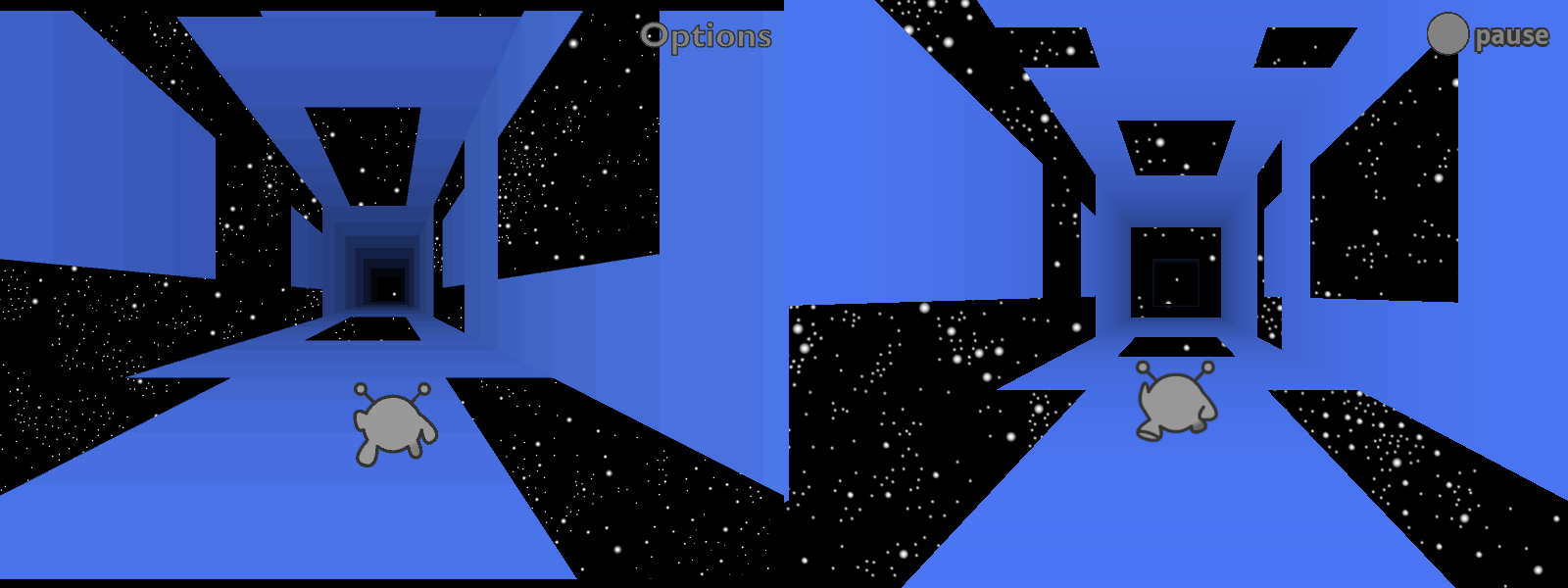
I’ve already released an HTML5 remake of Run 1 (which I consider to have been a beta version), but since then I rewrote most of Runaway (the underlying engine), so I’ve had to redo most of Run 1 as well. It’s coming along well so far, and since I invested in building solid foundations, fixing the remaining problems should be relatively painless.
Adventure Mode is nearly done. The levels are unchanged, but I’ve been playing around with the physics, trying to make the game feel nicer but still close enough to the original. I’ve also done my best not to mess up game balance. I know people like Run 3’s physics, but those would make Run 1 too easy.
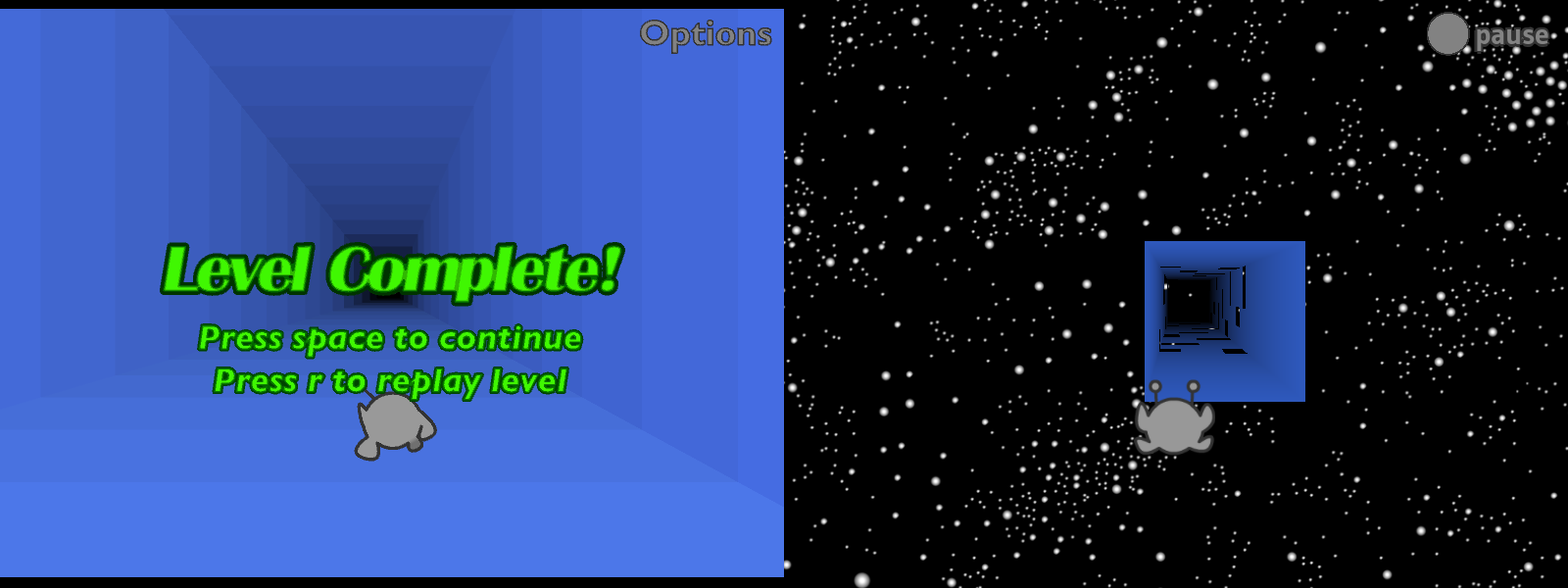
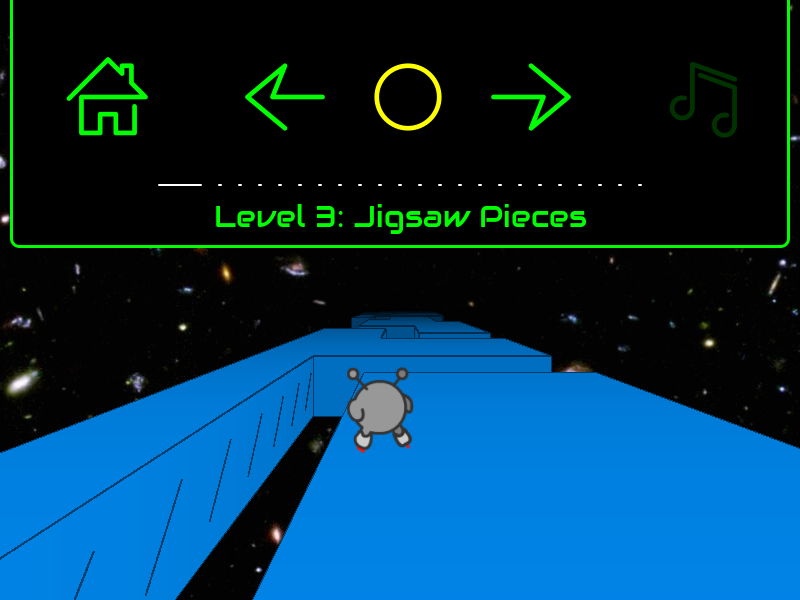
There’s still more to do for Adventure Mode. For one thing, it saves your progress but can’t load it, so you always restart from level 1. Also, there’s no ending, and the level transitions are missing something. At the moment I’m still using the “flying through space” level transition from the beta, but it’s less interesting without all the tiles zooming into place. Either I need to recreate that animation, add other scenery to look at, or go back to the original “endless tunnel” version.
Infinite Mode is finally working! This one took a while.
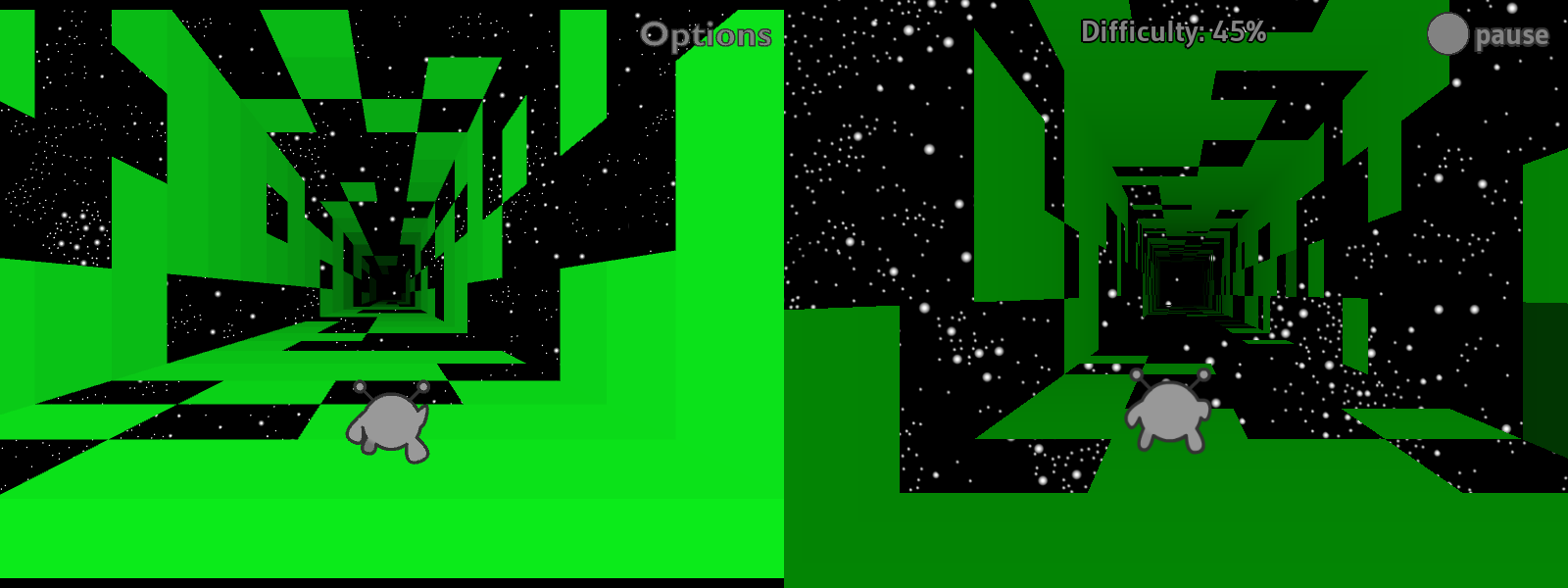
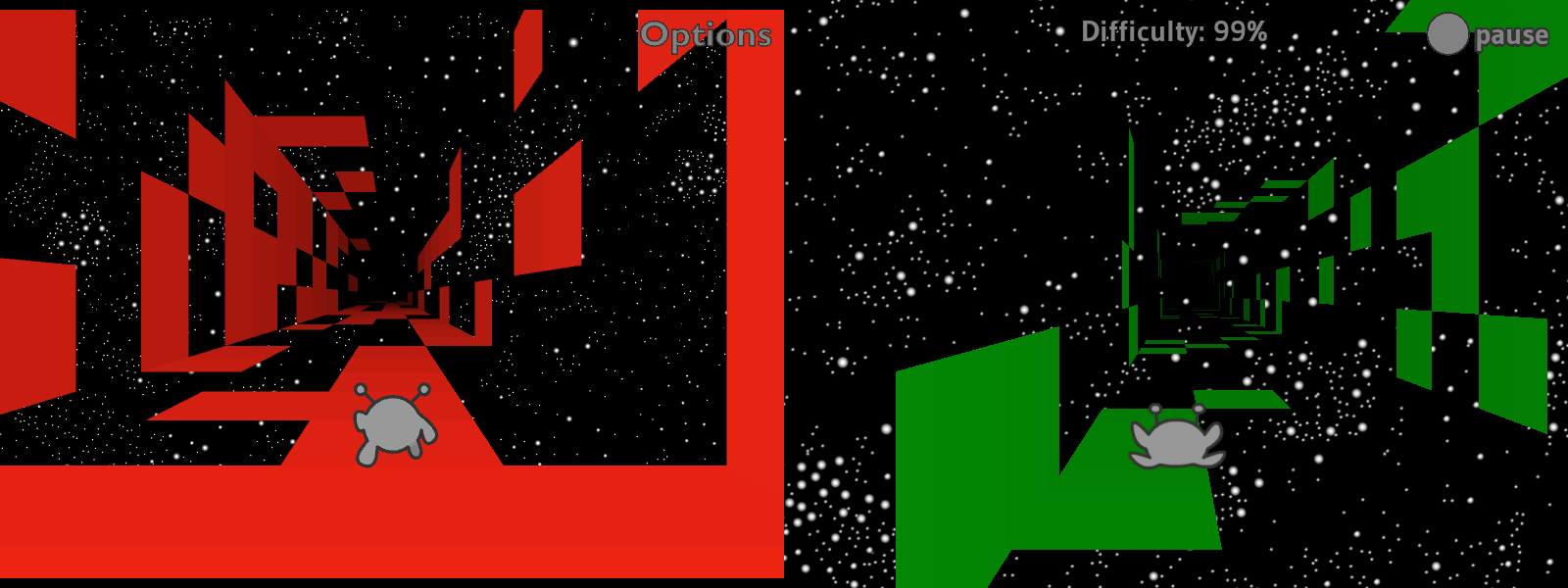
I tried to adapt the original level generation code, but something went wrong along the way. The new generator makes levels that are both harder and less visually coherent. As for why it’s green, I haven’t gotten around to adding multiple colors yet.
In previous status updates, I talked about how Run 1’s Infinite Mode required an overhaul of how levels were loaded. At the time, my plan was to place the levels in 3D space, loading them as soon as two conditions were met: (1) the camera was almost close enough to see them, and (2) the player beat the previous level. The original version of Run 1 would only load a new level once the previous one was over, and it’d use the player’s performance to determine the difficulty of the next level. The more you fell, the less difficulty would increase (though it would always go up by a little).
Well, I did that. And then I did something else instead. Whoops!
Now, Infinite Mode levels load based on the camera’s position (1), without waiting for you to beat the previous level (2). The difficulty increases as you make progress, and the tiles update in real time, which I think makes for a cool effect. (Also, the difficulty decreases each time you fall.)
I like this concept, and it took a fair bit of work to make it happen, but I’m not sure I like how it feels in practice. Pros: if it generates an unfair level, things will get easier once you fall off a couple times. Cons: it feels less like you’re making progress if you can just lose it again. In the original version, any progress you made was locked in. I could go back to that, but I think (hope) this should be fixable while keeping the cool new real-time updates.
Finally for Run 1, there’s currently no Edit Mode or costumes. I’ve got a working editor in Run 2, and I should be able to import that without too much trouble. Not sure what I want to do about the costumes, though. Do I keep them as costumes, or is it worth the time to flesh them out into separate characters with unique abilities?
Run 2
For those who weren’t there, in late 2024 I rebuilt Run 2 in a series of livestreams, better than before. New UI icons, touched up levels, clearer indicators of where you can and can’t rotate gravity, higher-resolution backgrounds, and a new sci-fi font.
I’m sorry it’s taken so long to get this thing out. Many of us (me included) expected it to be out by now, but some of the remaining problems proved stubborn. At this point, I’m going to wait until I’m ready to release both remakes at once.
Here’s what was broken as of my last stream.
The player character stutters, as if updating at a low framerate. The rest of the game moves smoothly, so it’s not actually a performance issue. And Run 1, which is using the same engine, doesn’t have this issue. Still don’t know what’s up with this.
Sometimes when you deleted a cube in Edit Mode, it wouldn’t disappear, but you could fall through it. I’m happy to report that this is now fixed!
Sometimes when you added a new cube, nothing would show up but it would still be solid. Also fixed!
Often when you clicked and dragged to “paint” several cubes at once, it would place some in the wrong layer (usually one layer closer to the camera than expected). Fixed!
There’s no way to edit level properties (color, dimensions, title, etc.) other than manually editing the level data. I still haven’t done anything about this.
Though you could save levels, there was no way to load them. I’ve since added a basic text box to paste level data into, and levels do load successfully, but this promptly revealed a bunch more issues.
The UI isn’t built to deal with standalone levels like this, so the next/previous/bonus buttons do nothing and display incorrect data. They always indicate that there’s a previous level and that you haven’t beaten the current level or earned its bonus. When you do beat the level it says “press jump to continue,” but you just jump normally since there’s no next level to go to.
I didn’t program the levels to unload, so they just stay around until you quit to the main menu. This lets you load multiple levels on top of one another, though you can only interact with the most recent one.
In addition to all that, a new rendering issue popped up. If you leave a level and then navigate back to it using the pause menu, only the level’s outlines will appear. I distinctly remember having fixed this at one point, but no, it’s still here.
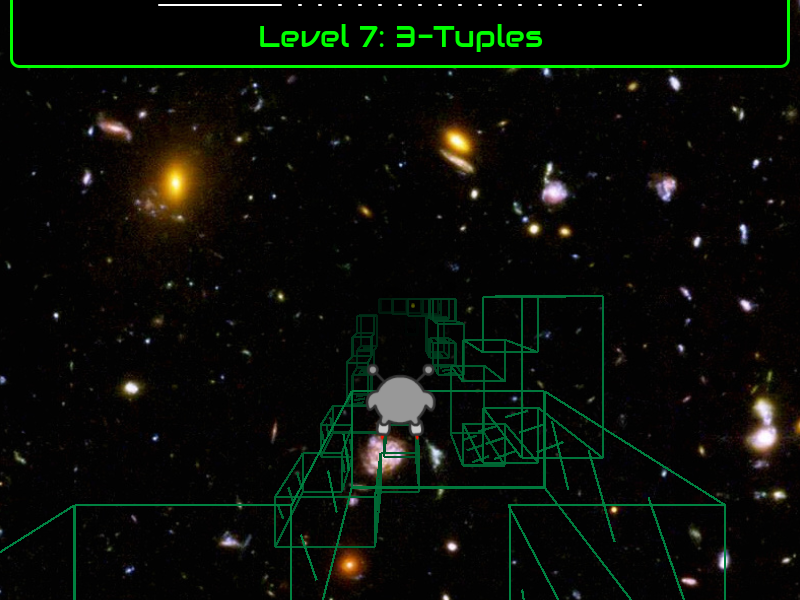
This looks pretty neat in some cases, so I might add official support for it later. But I can’t keep the bug itself, as some levels lack outlines, and with neither fills nor outlines they end up being fully invisible. Good luck playing those!
As if all that wasn’t enough, I recently tried building for HTML5. It starts out in outline mode, and then the scene goes completely black if you ever move left or right. You can’t complete (or fail) the level in this state, but everything comes back if you reset, so it’s not like the game crashed. I suspect the Runner’s coordinates are getting divided by zero.
What next?
I plan to fix everything mentioned above. When these games come out, I want you to be able to do everything you could do in the original. I’ll try to leave it at that, and not get distracted working on new features. Though it occurs to me as I write this that an “import save” feature would help a lot. Then you can pick up exactly where you left off.
I also want to do some marketing, to build interest. Keep an eye on this blog and my YouTube channel for updates.
It’s been a while since I last posted, but don’t worry, I’ve been keeping busy.
Last time, I talked about spending the first half of 2022 working on Lime. Since then, most of my changes were categorized and merged. Small bug fixes are to be released in v8.0.1, while everything that counts as a new feature will come out later in v8.1.0. Except for the two huge changes that I spent 4+ months on; those have to wait for v8.2.0 because we want more time to test them.
I spent most of the second half of 2022 on my own projects, gradually working my way up through the layers Run is built on.
Over the summer, I rewrote and documented practically the whole codebase. I fixed bugs, cleaned up the unit tests, added new features like better timekeeping, wrote lots of documentation, and generally improved maintainability. But I never lost sight of my goal, which was to get back to work on Runaway. I only added features that I knew I’d need immediately, rather than trying to plan ahead too far.
Runaway
Between August and October, I split my time between Echoes and Runaway, gradually shifting towards the latter but going back to Echoes whenever I found a new bug or needed a new feature. And the first part of Runaway I rewrote was the math. Math is fundamental to games, and it’s worth doing right.
Here, MotionSystem performs two basic operations. First it uses Acceleration to update Velocity, then it uses Velocity to update Position. Because this code gets run every frame, it produces the appearance of 3D motion.
To keep things simple for that post, I handled x, y, and z on separate lines. However, you really shouldn’t have to do that. Any decent math library will provide a more concise option. Before August, that was this:
class MotionSystem extends System {
    @:update private function accelerate(acceleration:Acceleration, velocity:Velocity, time:Float):Void {
        Point3Utils.addProductOf(velocity, acceleration, time, velocity);
    }

    @:update private function move(velocity:Velocity, position:Position, time:Float):Void {
        Point3Utils.addProductOf(position, velocity, time, position);
    }
}
Convenient! I know typing out Point3Utils.addProductOf() every time could get annoying, but it still beats OpenFL’s Vector3D class:
var scaledAcceleration:Vector3D = acceleration.clone();
scaledAcceleration.scaleBy(time);
velocity.incrementBy(scaledAcceleration);
Not only is Vector3D less convenient, you have to make a temporary object. For one object that’s fine, but video games can do hundreds if not thousands of these operations per second, and all of those temporary objects have to be garbage collected.
It’s at least possible to make Vector3D more convenient. Just add a “scaledBy()” function that calls clone() and then scaleBy(), combining lines 1 and 2 above. It still has the garbage collection problem, but at least the code looks neater:
But wait! It turns out you can avoid the garbage collection problem too, using inline constructors.
If we inline Vector3D’s constructor and functions, then the Haxe compiler will copy all that code into our function call. After moving the code, the compiler will be able tell that the clone is temporary, and doesn’t actually need to be allocated. Instead, the compiler can allocate local x, y, and z variables, which incur no garbage collection at all. Sadly, pretty much none of Vector3D is inlined (either for backwards compatibility reasons or because this isn’t a priority for OpenFL).
So I looked elsewhere. As luck would have it, the hxmath library provides a fully-inline Vector3 type. Not only does this solve the garbage collection issue, hxmath’s Vector3 offers a lot more features than OpenFL’s Vector3D. (IMO, hxmath is the best math library on Haxelib. Not that there’s much competition.) In particular, it allows you to use operators wherever such operators make sense:
class MotionSystem extends System {
    @:update private function accelerate(acceleration:Acceleration, velocity:Velocity, time:Float):Void {
        velocity += acceleration * time;
    }

    @:update private function move(velocity:Velocity, position:Position, time:Float):Void {
        position += velocity * time;
    }
}
(As of this writing, the += operator isn’t available on Haxelib. But it should come out in the next release.)
I initially planned to join forces, submitting improvements to hxmath rather than creating yet another math library. I submitted fixes for the bugs I found, but as I looked closer I started to find more and more things I’d do differently, as well as a couple inconsistencies. Anyone already using hxmath wouldn’t like sudden changes to function names or the order of a matrix’s elements. Breaking changes are always a hard sell, and I’d need to make a lot of them before I could use hxmath for Runaway.
So I began working on my own math library (working name “RunawayMath”), using the knowledge of macros I gained from working on Echoes. Specifically, I wrote macros to handle the repetitive parts. For instance, my Vector3 class can do in 13 lines what hxmath does in ~55.
@:elementWiseOp(A + B) @:inPlace(add)
private inline function sum(other:Vector3):Vector3;

@:elementWiseOp(A - B) @:inPlace(subtract)
private inline function difference(other:Vector3):Vector3;

@:elementWiseOp(A * B) @:commutative @:inPlace(multiply)
private inline function product(other:Vector3):Vector3;

@:elementWiseOp(A * B) @:commutative @:inPlace(multiplyF)
private inline function productF(scalar:Float):Vector3;

@:elementWiseOp(A / B) @:inPlace(divide)
private inline function quotient(other:Vector3):Vector3;

@:elementWiseOp(A / B) @:inPlace(divideF)
private inline function quotientF(scalar:Float):Vector3;

@:elementWiseOp(-A) private inline function inverse():Vector3;
@:elementWiseOp(A + B) tells the macro that when you type vectorA + vectorB, it should make a new vector with the sum of their elements (vectorA.x + vectorB.x, vectorA.y + vectorB.y, and vectorA.z + vectorB.z). @:inPlace tells the macro to enable the corresponding assign operator (+= and so on).
With macros in place, I was able to quickly churn out data types. First I re-implemented most of hxmath’s types, like vectors, lines, and quaternions (but skipped matrices because I don’t need them yet). Then, I added brand new ones, including spheres, planes, orthonormal bases, bivectors, and Bézier curves. At some nebulous point in the future, I plan to implement matrices and rotors.
I made sure to write unit tests as I went, something I’d never bothered with before. As a result, I’m confident that these new types will be less buggy than my old code. Notably, Run 1’s beta lacks shadows due to some sort of error in either my raycast code or my quaternion code. I never managed to find the issue, but I bet my new code will fix it without even trying.
I could go on about all the new features, but I really should save that for some other post.
Practical applications
By November, I was ready to start making use of all this mathematical awesomeness, by returning to the fundamentals of any platformer: running and jumping.
Well, running specifically. It’s the name of the game, after all!
Side-to-side movement
It isn’t really a secret that Run 1’s HTML5 beta looks and feels different from the Flash version, and part of that is the way the Runner moves side-to-side.
The old formula for acceleration (in Flash) used the slow Math.pow() function to produce a specific feeling. When I used a totally different function in HTML5, it produced a different feeling. I did that because I figured that if Run 3 didn’t need Math.pow(), Run 1 didn’t either. Problem was, I wasn’t very careful writing the new formula.
Now back to November 2022. This time, I wanted to try a suggestion I read in an article or social media comment. The idea is to graph speed vs. time, letting you see (and edit) how fast the player character accelerates.
The simplest case is constant acceleration. You gain the same speed every frame (until you reach the maximum), producing a straight line on the graph.
But that’s restrictive, so what about curved acceleration? Specifically, how about using those Bézier curves I mentioned above? It’s easy to get acceleration from a curve that represents velocity, and it lets me play around with a lot of options to see how they all feel.
And that’s without even changing the top speed or acceleration duration. I meant it when I said a lot of options. (Click to view.)
Out of all those options, I think the ones with high initial acceleration (convex shapes) feel the most natural.
The initial burst makes the controls feel more responsive, and then they gently approach the top speed so there’s no sudden jerk. Not only that, it’s true to life: as someone picks up speed in real life, air resistance gets stronger and they accelerate slower.
That said, the curves I showed above are extreme examples. Usually I aim for a bit less acceleration at first and leave a bit of jerk at the end. That way, it’s more obvious that you’re continuing to gain speed over time.
I don’t know which of these most closely matches the original Run 1, but I plan to find out.
Other basic components
By the way, my colorful-square demo app is more than just a rolling simulator. It’s actually a small platformer demo, with collisions and jumping and all that. Just… without any actual platforms, yet.
The “Mobility” button brings up the acceleration graph I’ve already shown. The “Jump” button lets you control how high each type of jump goes (or to disable specific types such as midair jumps). “Air” lets you tweak air resistance and wind speed.
But that’s far from all the components that went into this app. I also took the chance to rewrite and test each of the following:
Collisions, both for the invisible walls around the edges and for the boost pads in the middle. Solid collisions are automatically classified as “ground,” “wall,” or “ceiling,” making it easy to write ground-specific or wall-specific behavior. Like the walljump seen above.
Friction, including friction with moving platforms. A moving platform will pull you along with it (unless it’s icy), and you’ll keep that momentum if you jump. (I expect to use this for conveyors in Run 3.)
A brand new Orientation class that replaces the coordinate space approach I used to use. Turns out I was making things unnecessarily hard for myself, rotating the character’s coordinates rather than rotating the effects of the left/right/jump buttons.
How long can player_03 keep stalling?
As of this moment, I’m running dangerously low on things to do before I get back to work on Run 1. I’ve been putting that offworking hard on underlying projects since… summer 2021? It’s certainly taken a while, but soon I’ll be done stallingpreparing.
When Infinite Mode didn’t work, I could have looked for an easy workaround. Instead, I rewrote all loading code.
When I realized loading is best done using threads, I could have just used the tools that existed. Instead, I spent several months revising Lime’s threading classes and adding HTML5 support.
I made a decent-size demo project just to show off the new thread code. That took at least a month on its own, and I have no immediate plans for it, but at least it made pretty patterns.
I spent months cleaning up Lime’s submodule projects instead of leaving well enough alone. Now, I know more about this section of the code than almost anyone else, so I’m the one responsible for any new bugs that come up. Fortunately there haven’t been too many.
I spent over a month (hard to measure because it’s spread out) updating Echoes, even though it demonstrably already worked. It had a couple hiccups, sure, but I could have fixed those without rewriting all the documentation and unit tests. But hey, now we have more documentation and unit tests!
When I discovered constructor inlining, I dropped everything to rewrite Runaway’s math classes. They already worked fine, but nooo, the code was a little bit verbose, we couldn’t have that!
With new math classes available and a vague sense that I was overcomplicating space, I stumbled across the term orthonormal basis. And that inspired me to rethink the concepts of space, collisions, moving, and jumping all at once. I’m going to need to write a whole new “how space works in Run” post…
To take advantage of all this new code, I wrote the demo app shown above. It took about as long as the libnoise demo, but at least this time I plan to keep using it.
When first making the demo, I enabled one system at a time, so that I’d only have to debug one section of code at a time. Eventually, I decided just to enable all the systems from the Run 1 beta, even knowing I’d immediately get dozens if not hundreds of errors. I figured it’d let me keep stalling for a while longerlocate lots of bugs all at once.
I estimate that fixing that last batch of bugs will take at least… oh. Uh, they’re already done. Took less than a week. I guess there was a benefit to all that feature creepcareful planning and solid mathematical foundations.
Except, that is, for one single system. This system was especially complicated, and since I wanted to post this post, I left it commented out. Once I get this system working, I think that will be everything: I’ll be unable to keep stallingready to work on Run 1.
I’ll be ready to polish the wonky character animations, make the motion feel more like it used to, and, of course, update the level load system to handle Infinite Mode levels, all those things I’ve been saying I want to do. But first, I need to fix up this one complicated system.
So which system is it? It is, in fact…
…the level loading system. Also, the only reason it’s so broken is because I made those other changes to how loading works. Fixing the errors will automatically also make the system compatible with Infinite Mode.
Huh. I guess that means I’m already done stalling. No more redoing old features, I’m officially now working on the thing that started this entire multi-year rabbit hole. Or maybe I could go implement rotors first… One more detour…
In my last status update, I said I’d (1) update Android libraries and then (2) add Infinite Mode to the HTML5 version. As I mentioned in an edit, that first step took a single day. Then the second took… three months. So far.
It all unfolded something like this:
I wanted to add Infinite Mode.
The loading code I used for Explore Mode isn’t up to the task of handling procedurally-generated levels. (Plus I have other plans that require seamless loading.) So I put step 1 on pause in order to write better loading code.
I realized/decided that good loading code needs to support threads. You don’t have to use them, but they should be an option. The good news is, Lime already supports threads. The bad news: not in HTML5. So I put step 2 on hold as I worked to update Lime.
Every time I thought I’d reached the bottom of this rabbit hole, I found a way to keep digging. But I’m happy to announce that instead of proceeding with step 6, I’ve turned around and begun the climb back out:
As of today, I finished combining the ideas from steps 3-5 above, which in theory fixes threads in Lime once and for all. I’m sure the community will suggest changes, but I can hopefully shift most of my focus.
Use threads/virtual threads to achieve my vision of flexible and performant loading.
Use this new flexibility to load Infinite Mode’s levels.
I’m also well aware that Run Mobile doesn’t work on Android 12. I’ve been too busy with threads to take a look, but now that I’m (very nearly) done, I really ought to do that next. Update: I did! The fixed version is available on Google Play.
I spent most of Thursday working on a problem. After about ten hours of work, I reverted my changes. Here’s why.
The problem
This past week or so, I’ve been working on a new “HTML5Thread” class. One of Lime’s goals is “write once, deploy anywhere,” so I modeled the new class after the existing Thread class. So if you write code based on the Thread class, I want that same code to work with HTML5Thread.
For instance, the Thread class provides the readMessage() function. This can be used to put threads on pause until they’re needed (a useful feature at times), and so I set out to copy the function. In JavaScript, if you want to suspend execution until a message arrives, you use the appropriately-named await keyword.
Just one little problem. The await keyword only works inside an async function, and there’s just no easy way to make those in Haxe. You’d have to modify the JavaScript output file directly, and that’s multiple megabytes of code to sift through.
My solution
At some point I realized that while class functions are difficult, you can make asynclocal functions without too much trouble.
With a workaround in mind, I thought about how best to add it to Lime. As mentioned above, Lime is designed around the assumption that everything should be cross-platform. So if I was going to support async functions in JavaScript, I wanted to support them on all targets.
It would be easy to use: call Async.async() to make an async function, then call Async.await() to wait for something. These functions would then use some combination of JavaScript keywords, Lime Futures, and macro magic to make it happen. You wouldn’t have to worry about the details.
My code contained a bunch of little “gotchas”; there were all kinds of things you weren’t allowed to do, and the error message was vague. “Invalid location for a call to Async.await().” Then if you wanted to use the await keyword (which is kind of the point), you had to write JavaScript-specific code (which is against Lime’s design philosophy). Oh, and there were a couple other differences between platforms.
From the user’s point of view, it was too complicated. But the only way to make it simpler would be to add a lot more code under the hood, so in a way, it also wasn’t complicated enough.
Doing this right would take a whole library’s worth of code and documentation, and as it turns out, that library already exists.
Perspective
In my last post, I quoted Elon Musk saying “First, make your requirements less dumb.” But as I said, I don’t think that’s the right order of operations. I mean, yeah, start out with the best plan you can make. But don’t expect to plan correctly first try. You need perspective before you can get the requirements right, and the easiest way to get perspective is to forge ahead and build the thing.
For instance, when I started this detour, I had no idea there might be valid and invalid locations to call Async.await(). That only occurred to me after I wrote the code, tried experiments like if(Math.random() < 0.5) Async.await(), and saw it all come crashing down. (Actually it wasn’t quite that dramatic. It just ran things out of order.)
Ten hours of work later, I have a lot more perspective. I can see how big this project is, how hard the next steps will be, and how useful users might find it. Putting all that together, I can conclude that this falls firmly in the category of feature creep.
Lime doesn’t need these features at the moment. Not even for my upcoming HTML5Thread class. All that class needs is the async keyword in one specific spot, which only takes eight lines of code. Compare that to my original solution’s 317 lines of code that still weren’t enough!
Basically what I’m saying is, I’m glad I spent the time on this, because I learned worthwhile lessons. I’m also glad I didn’t spend more than a day on it.
How many of you have heard of the band Wintergatan?
Martin Molin, the face of Wintergatan, is a musician/engineer who rose to Internet fame after building the “Marble Machine” you see above. I assume you can tell why – that thing is really cool.
Sadly, from an engineering standpoint, the machine was a nightmare. Only capable of playing songs very similar to the one it was built for, and held together with elbow grease and wishful thinking. Marbles could collide if it tried to play adjacent notes, it was hard to time the notes properly, and the marbles kept clogging up or spilling out.
So he started over.
Marble Machine X
On January 1 2017, Martin announced the Marble Machine X, an entirely new device that would fix all the flaws in the original. Over the next four and a half years, he posted regular development updates. Even if – like me – you only watched some of the videos, you’d still learn a lot about both the MMX and mechanical engineering.
It’s not really awesome to spend one and a half weeks building something that you have to redo, but I’m really used to that, and I’m actually good at starting over… I’m not so interested in this machine if it doesn’t play good music.
-Part of Martin’s heartfelt speech. (Make sure to watch the video for the rest.)
He sure did start over. Often enough that his angle grinder and “pain is temporary” catchphrase became a community meme, and then ended up on merchandise.
Was it worth it? Oh yeah. Looking at his last edited video before he switched to raw streams, the MMX ended up as an engineering marvel. Not only does it look great, it can drop thousands of marbles without error. When there is an error (5:26), he can instantly diagnose the problem and swap out the parts needed to fix it, no angle grinder necessary. Immediately after fixing it, he tried again and dropped thirty thousand in a row with zero errors. Four years well spent, I’d say!
So, just this January, it occurred to me that I hadn’t heard from Martin since that last video. The one posted all the way back in June. I didn’t mean to forget about him. In fact, I’m subscribed. Sure I skipped all the streams, but why did he stop posting edited videos?
A Lesson in Dumb Design
Wintergatan’s latest video, posted last September, has the answers. It’s titled “Marble Machine X – A Lesson in Dumb Design,” and in it, Martin discusses “dumb requirements” in the MMX.
First, make your requirements less dumb. Your requirements are definitely dumb. It does not matter who gave them to you; it’s particularly dangerous if a smart person gave you the requirements, because you might not question them enough. […] It’s very common; possibly the most common error of a smart engineer is to optimize the thing that should not exist.
-Elon Musk
Leaving aside Elon Musk himself, this seems like good advice. Martin gives an example of how it applies to the MMX at 5:49: he’s built the machine based off the fundamental assumption that marbles should always follow constrained single-file pathways. All the situations he’s encountered over the years where marbles would clog up, or apply pressure to a piece of tubing and burst out, or clog up, or jump over dividers, or clog up – all of these situations resulted from trying to constrain the marbles more than necessary.
Most were fixable, of course. He’s got well over a hundred videos’ worth of solved problems. But as he graduated from testing a few marbles per second to playing entire songs, he discovered more and more things wrong. Eventually, he concluded that the MMX, despite all the work put into it, wasn’t fixable. Now, he’s planning to produce one complete song with it, and then – once again – start over.
Judging by the YouTube comments, the community did not take this news well.
Drummers lose drum sticks. Violinists break bows. Guitarists lose picks. The marble machine can drop a marble.
-Thomas R
The MMX is literally almost complete and could be complete if only you allowed for a margin of error and stopped reading into all these awful awful self-help books.
-rydude998
“Make requirements less dumb” is a fantastic approach, but please don’t forget that “looks cool” is not a dumb requirement for your project.
-David H (referring to when Martin talked about form vs. function)
The perfect marble machine isn’t going to happen unless you seriously water down the beautiful artistic aspects that made the MMX so special to begin with. If that’s what it takes, then what’s the point? You’ll have a soulless husk of what was previously a wonderful and inspiring piece of art.
-BobFoley1337
This is the story of an artist who became an engineer to build his art and in so doing forgot the meaning of art.
-Nick Uhland
Note: If I quoted you and you’d rather I didn’t, let me know and I’ll take it down.
All good points. I’m not necessarily on board with the tone some of them took, but can you blame them? The project seemed so close, and so many people were excited to see the culmination of all this work, and then Martin pulls the rug out from under everyone.
I got many ideas for how to design a simpler, functional Machine, and I can’t stop thinking about it. I have heard that when you build your third house, you get it right. I think the same goes for Marble Machines.
[…]
I do know the generous response and objections that most crowdfunders have when I describe the Marble Machine X as a failure, and you are all correct. Its not a complete failure. What I have learned in the MMX process is the necessary foundation for the success of MMX-T.
[…]
If it’s hard to understand this decision let me provide some context: The MMX looks like it is almost working, but it isn’t. The over-complex flawed design makes the whole machine practically unusable. I now have the choice between keeping patching up flaws, or turn a page and design a machine which can be 10X improved in every aspect.
This may not be surprising coming from the guy who built four entire game engines between the three Run games, but I’m sympathetic to Martin. I know all too well that a thing that looks almost perfect from an outsider’s perspective can be a mess inside.
The Codeless Code is a collection of vaguely-Zen-like stories/lessons about programming. The premise is odd at first, but just go with it.
A young nun approached master Banzen and said:
“When first presented with requirements I created a rough design document, as is our way.
“When the rough design was approved I began a detailed design document, as is our way. In so doing I realized that my rough design was ill-considered, and thus I discarded it.
“When the detailed design was approved I began coding, as is our way. In so doing I realized that my detailed design was ill-considered, and thus I discarded it.
“My question is this:
“Since we must refactor according to need, and since all needs are known only when implementation is underway, can we not simply write code and nothing else? Why must we waste time creating design documents?”
Banzen considered this. Finally he nodded, saying:
“There is no more virtue in the documents than in a handful of leaves: you may safely forgo producing either one. Before master Mugen crossed the Uncompiled Wasteland he made eight fine maps of the route he planned to take. Yet when he arrived at the temple gates he burned them on the spot.”
The nun took her leave in high spirits, but as she reached the threshold Banzen barked: “Nun!”
When the nun turned around, Banzen said:
“Mugen was only able to burn the maps because he had arrived.”
I hope the analogy here is clear. When Martin built the original Marble Machine, he produced a single song and retired it. He then built the Marble Machine X, and plans to produce a single song before retiring it too. Now he’s working on the Marble Machine X-T, and he’s hoping that “when you build your third house, you get it right” applies here too.
He could never have made it this far if not for the first two machines. If he hadn’t built the original, he wouldn’t have known where to start on the second. If not for spending years on the MMX fixing all kinds of issues and making it (seemingly) almost work, he wouldn’t know where to start designing the third. Years of building the machine gave him a clearer picture than any amount of planning, and that picture is the only reason he can perform the “first” step of making his requirements less dumb.
I don’t think Martin could have gotten the requirements right on his first or second try, but it’s good that he tried. That was the other point of the “Navigation” parable. Mugen was only able to burn the maps because he had arrived. If Martin hadn’t started by making a solid plan, the MMX could not have been as good as it ended up being. If the MMX hadn’t reached the point of “almost working,” its greatest flaws wouldn’t have been exposed.
And now we arrive at how this relates to my own work. As I said at the beginning, I’m not starting anything over. However, I recently realized I needed to pivot a little.
I had built my code one feature at a time. Like Martin testing 30,000 marbles, I tested simple cases, over and over, and they worked. Then, like Martin livestreaming actual music, I devised a real-world example. It was basic, but it was something someone might actually want to do.
And that led to a cascade of problems. Things I hadn’t thought of while planning but which were obvious in retrospect. Problems with easy solutions. Problems with hard solutions. All kinds of stuff.
I was capable of fixing these problems. In fact, I had a couple different avenues to explore; at least one would certainly have worked. How could I be so certain I was on the wrong track?
Wangohan […] emailed his predicament to the telecommuting nun.
“I know nothing of this framework,” the nun wrote back. “Yet send me your code anyway.”
Wangohan did as he was asked. In less than a minute his phone rang.
“Your framework is not right,” said Zjing. “Or else, your code is not right.”
This embarrassed and angered the monk. “How can you be so certain?” he demanded.
“I will tell you,” said the nun.
Zjing began the story of how she had been born in a distant province, the second youngest of six dutiful daughters. Her father, she said, was a lowly abacus-maker, poor but shrewd and calculating; her mother had a stall in the marketplace where she sold random numbers. In vivid detail Zjing described her earliest days in school, right down to the smooth texture of the well worn teak floors and the acrid yet not unpleasant scent of the stray black dog that followed her home in the rain one day.
“Enough!” shouted the exasperated Wangohan when a full hour had passed, for the nun’s narrative showed no sign of drawing to a close. “That is no way to answer a simple question!”
“How can you be so certain?” asked Zjing.
I was writing a tutorial as I went, and that’s what tipped me off.
Each time I came up with a workaround, I had to imagine explaining it in the tutorial: “If you’re using web workers and passing a class instance from your main class to your web worker, you’ll need to add that class to the worker’s header, and then call restoreInstanceMethods() after the worker receives it. This is enough if that’s the only class you’re using but fails if you’re using subclasses that override any of the instance methods, so in that case you also need to these five other steps…”
Which is a terrible tutorial! Way too complicated. My framework was not right, or else, my code was not right. It was time to step back and rethink my requirements.
Clearly, I was already violating requirement #4. And a couple weeks ago, I’d also realized that #1 and #2 were incompatible. Web workers were always going to break existing code, which is why I’d made them opt-in. You can’t use them by accident; you have to turn them on by hand. I was arguably also violating #3: web-worker-specific code was now taking up the majority of two files that weren’t supposed to be web-worker-specific. (Which could be ok in another context, but it’s not how Lime likes to handle these situations.)
No other feature in Lime requires reading so much documentation just to get started. Nothing else in Lime has this many platform-specific “gotchas.” Very few other things in Lime require opting in the way this does. This new code…
This new code never belonged in Lime.
That was my faulty assumption. I’d assumed that because the feature was on Lime’s wishlist, it belonged in Lime. But Lime is about making code work the same on all platforms, and web workers are just too different, no matter how much I try to cover them up with syntax sugar. In reality, the feature doesn’t belong in Lime or on Lime’s wishlist, a fact that became clear only after months of work.
Once again, I’m not starting over here. For a time, I thought I had to, but in fact my code is pretty much fine. My mistake was trying to put that code where it didn’t belong. The correct place would be a standalone library, which is the new plan. (As for Lime issue #1081, I’ve come up with a promising single-threaded option. Not quite the same, but still good.)
I’m confident I’m making the right decision here. The pieces finally fit together and the finish line is in sight.
Hopefully, Martin is making the right decision too. His finish line is farther off, but he’s made a good map to guide him there. Whether he burns that map upon arrival remains to be seen.
Since my last status update, I’ve spent about half my time working on Runaway and half working on an Android release.
In Runaway news, I’ve made important design decisions about how to load levels. While I’m proud of the design, it’s complicated enough that I’ll have to save it for a post with the technical tag.
I’m pleased to announce that after a difficult month, Run Mobile has been updated! On Android, at least. We made it with a few days to spare before Google’s November deadline, meaning that they won’t lock the app down.
Finally, I’m continuing to work on the story in the background. I have several cutscene scripts in the works – much like the one I released in June – but it turns out, it’s easier to start new ones than to sit down and finish them. Endings are hard!
Moving forward:
I may take a week or so to update some other Android libraries. The past month was less painful than expected, so I might as well get those updated before Google makes another big change to break my workflow. (Update: it took one day.)
I’ll get back to work on Run. Add Infinite Mode, adjust the physics, maybe do another pass on the animations.
When I left off last week, I was told that I needed to upload my app in app bundle format, instead of APK format. The documentation there may seem intimidating, but clicking through the links eventually brought me to instructions for building an app bundle with Gradle. (There are other ways to do it, but I’m already using Gradle.) It’s as simple as swapping the command I give to Gradle – instead of assembleRelease, I run bundleRelease. And it seems to work. At least, Google Play accepts the bundle.
But then Google gives me another error. I’ve created a 32-bit app, and from now on Google requires 64-bit support. I do like 64-bit code in theory, but at this stage it’s also kind of scary. I’ll need to mess with the C++ compile process, which I’m not familiar with. And I’m stuck with old versions of Lime and hxcpp, so even if they’ve added 64-bit support, I can’t use that.
Initially, I got a bit of false hope, as the documentation says “Enabling builds for your native code is as simple as adding the arm64-v8a and/or x86_64, depending on the architecture(s) you wish to support, to the ndk.abiFilters setting in your app’s ‘build.gradle’ file.” I did that, and it seemed to work. It compiled and uploaded, at least, but it turned out the app wouldn’t start because it couldn’t find libstd.so.
I knew I’d seen that error ages ago, but wasn’t sure where. Eventually after a lot of trial and error, I tracked it down to the ndk.abiFilters setting. Yep, that was it. Attempting to support 64-bit devices just breaks it for everybody, and the reason is that I don’t actually have any 64-bit shared libraries (a.k.a. .so files). This means I need to:
Track down all the shared libraries the app uses.
Compile 64-bit versions of each one.
Include them in the build.
And I have only about a week to do it.
Tracking down shared libraries
The 32-bit app ends up using seven shared libraries: libadcolony.so, libApplicationMain.so, libjs.so, liblime-legacy.so, libregexp.so, libstd.so, and libzlib.so.
Three of them (regexp, std, and zlib) are from hxcpp, located in hxcpp’s bin/Android folder. lime-legacy is from Lime, naturally, and is found in Lime’s lime-private/ndll/Android folder. ApplicationMain is my own code, and is found inside my project’s bin/android/obj folder. From each of these locations, the shared libraries are copied into my Android project, specifically into app/src/main/jniLibs/armeabi.
The “adcolony” and “js” libraries are slightly different. Both of those are downloaded during when Gradle compiles the Android app. Obviously the former is from AdColony, and I think the latter is too. Since both have 64-bit versions, I don’t think I need to worry about them.
Interestingly, Lime already has a few different versions of liblime-legacy.so, but no 64-bit version. If I had a 64-bit version, it would go in app/src/main/jniLibs/arm64-v8a, where Gradle will look for it. (Though since I’m using an older Gradle plugin than 4.0, I may have to figure out how to include CMake IMPORTED targets, whatever that means.)
As far as I can tell, that’s a complete list. C++ is the main problem when dealing with 32- and 64-bit support. On Android, C++ code has to go in a shared object. All shared objects go inside the lib folder in an APK, and the above is a complete list of the contents of my app’s lib folder. So that’s everything. I hope.
Compiling hxcpp’s libraries
How you compile a shared library varies depending on where it’s from, so I’ll take them one at a time.
I looked at hxcpp first, and found specific instructions. Run neko build.n android from a certain folder to recompile the shared libraries. This created several versions of libstd.so, libregexp.so, and libzlib.so, including 64-bit versions. Almost no effort required.
Next, I got started working on liblime-legacy.so, but it took a while. Eventually, I realized I needed to test a simple hypothesis before I wasted too much time. Let’s review the facts:
When I compile for 32-bit devices only, everything works. Among other things, libstd.so is found.
When I compile for 32-bit and 64-bit devices, it breaks. libstd.so is not found.
Even though it can’t be found, libstd.so is present in the APK, inside lib/armeabi. (That’s the folder with code for 32-bit devices.)
lib/arm64-v8a (the one for 64-bit devices) contains only libjs.so and libadcolony.so.
My hypothesis: because the arm64-v8a folder exists, my device looks only in there and ignores armeabi. If I put libstd.so there, the app should find it. If not, then I’m not going to be able to use liblime-legacy.so either.
Test #1: The 64-bit version of libstd.so is libstd-64.so. (Unsurprisingly.) Let’s add it to the app under that name. I don’t think this will work, but I can at least make sure it ends up in the APK. Result: libstd-64.so made it into the APK, and then the app crashed because it couldn’t find libstd.so.
Test #2: Actually name it the correct thing. This is the moment of truth: when the app crashes (because it will crash), what will the error message be? Result: libstd.so made it into the APK, and then the app crashed because it couldn’t find libregexp.so. Success! That means it found the library I added.
Test #3: Add libregexp.so and libzlib.so. This test isn’t so important, but I have the files sitting around, so may as well see what happens. My guess is, liblime-legacy.so is next. Result: could not find liblime-legacy.so, as I guessed.
(For the record, I’m not doing any of this the “right” way, which means if I clear my build folder or switch to another machine, it’ll stop working. But I’ll get to that later.)
Compiling Lime’s library
Like hxcpp, Lime comes with instructions, but unlike hxcpp, they didn’t work first try. From the documentation you’d think lime rebuild android -64 would do it, but that’s for Intel processors (Android typically uses Arm). So the correct command is lime rebuild android -arm64, but even that doesn’t work.
Let’s jump forwards in time and see what the latest version of AndroidPlatform looks like. …What do you know, it now supports 64-bit architectures. Better yet, the rest of the code is practically unchanged (they renamed a class, but that’s about it). Since it’s so similar, I should be able to copy over the new code, adjusting only the class name. Let’s give that a try…
…and I figured out why the 64-bit option wasn’t included yet. The compiler immediately crashes with a message that it can’t find stdint.h. Oh, and the error occurred inside the stdint.h file. So it went looking for stdint.h, and found it, but then stdint.h told it to find stdint.h, and it couldn’t find stdint.h. Makes sense, right?
According to the tech support cheat sheet, what you do is search the web for a few words related to the problem, then follow any advice. When I did, I found someone who had the same bug (including the error message pointing to stdint.h), and the accepted solution was to target Android 21 because that’s the first one that supports 64-bit. Following that advice, I did a find and replace, searching all of Lime’s files for “android-9” and replacing with “android-21”. And it worked.
As expected, fixing one problem just exposed another. I got an error about how casting from a pointer to int loses precision. I’m certain this is only the first of many, many similar errors, since all this code was designed around 32 bit pointers. It should be fixable, in one of several ways. As an example of a bad way to fix it, I tried changing int to long. A long can hold a 64-bit pointer, but it’s overkill on 32-bit devices, and it’s even possible that the mismatch would cause subtle errors.
But hey, with that change, the compile process succeeded. Much to my surprise. I was expecting an endless stream of errors from all the different parts of the code that aren’t 64-bit-compatible, but apparently those all turned into warnings, so I got them all at once instead of one at a time. These warnings ended up falling into three distinct groups.
Three warnings came from Lime-specific code. After consulting the modern version of this code, I made some educated guesses about how to proceed. First, cast values to intptr_t instead of int, because the former will automatically adjust for 64 bits. (Actually I went with uintptr_t, but it probably doesn’t matter.) Second, when the pointer is passed to Haxe code, pass it as a Float value, because in Haxe that’s a 64-bit value. Third, acknowledge that step 2 was very weird and proceed anyway, hoping it doesn’t matter.
A large number of warnings came from OpenAL (an open-source audio library, much like how OpenGL is an open-source graphics library and OpenFL is an open-source Flash library). I was worried that I’d have to fix them all by hand, but eventually I stumbled across a variable to toggle 32- vs. 64-bit compilation. But luckily, the library already supported 64 bits, and I just had to enable it. (Much safer than letting me implement it.)
cURL produced one warning – apparently it truncates a pointer to use as a random seed. I don’t know if that’s a good idea, but I do know the warning is irrelevant. srand works equally well if you give it a full 32-bit pointer or half of a 64-bit pointer.
Ignoring the cURL warning, the build proceeded smoothly. Four down, one to go.
Copying files the correct way
As I mentioned earlier, I copied hxcpp’s libraries by hand, which is a temporary measure. The correct way to copy them into the app is through Lime, specifically AndroidPlatform.hx. Like last time I mentioned that file, this version only supports 32-bit architectures, but the latest version supports more. Like before, my plan is copy the new version of the function, and make a few updates so it matches the old.
Then hit compile, and if all goes well, it should copy over the 64-bit version of the four shared libraries I’ve spent all week creating. And if I’m extra lucky, they’ll even make it into the APK. Fingers crossed, compiling now…
Compilation done. Let’s see the results. In the Android project, we look under jniLibs/arm64-v8a, and find:
libApplicationMain.so
liblime-legacy.so
libregexp.so
libstd.so
libzlib.so
Hey, cool, five out of four libraries were copied successfully. (Surprise!)
I might’ve glossed over this at the start of this section, but AndroidPlatform.hx is what compiles libApplicationMain.so. When I enabled the arm64 architecture to make it copy all the libraries, it also compiled my Haxe code for 64 bits and copied that in. On the first try, too.
Hey look at that, I have what should be a complete APK. Time to install it. Results: it works! The main menu shows up (itself a huge step), and not only that, I successfully started the game and played for a few seconds.
More audio problems
And then it crashed when I turned the music on, because apparently OpenAL still doesn’t work. There was a stack trace showing where the null pointer error happened, but I had to dig around some more to figure out where the variable was supposed to be set. (It was actually in a totally different class, and that class had printed an error message but I’d ignored the error message because it happened well before the crash.)
Anyway, the problem was it couldn’t open libOpenSLES.so, even though that library does exist on the device. And dlerror() returned nothing, so I was stumped for a while. I wrote a quick if statement to keep it from crashing, and resigned myself to a silent game for the time being.
After sleeping on it, I poked around a little more. Tried several things without making progress, but then I had the idea to try loading the library in Java. Maybe Java could give me a better error message. And it did! “dlopen failed: "/system/lib/libOpenSLES.so" is 32-bit instead of 64-bit.” Wait, why does my 64-bit phone not have 64-bit libraries? Let me take another look… aha, there’s also a /system/lib64 folder containing another copy of libOpenSLES.so. I bet that’s the one I want. Results: it now loads the library, but it freezes when it tries to play sound.
It didn’t take too long to track the freeze down to a threading issue. It took a little longer to figure out why it refused to create this particular thread. It works fine in the 32-bit version, but apparently “round robin” scheduling mode is disallowed in 64-bit code. Worse, there’s very little information to be found online, and what little there is seems to be for desktop machines with Intel processors, not Android devices with Arm processors. My solution: use the default scheduling mode/priority instead of round robin + max priority. This seems to work on my device, and the quality seems unaffected. Hopefully it holds up on lower-end devices too.
Conclusion
And that’s about it for this post. It was a lot of work, and I’m very glad it came together in the end.
Looking back… very little of this code will be useful in the future. These are stopgap measures until Runaway catches up. Once that happens, I can use the latest versions of Lime and OpenFL, which support 64-bit apps (and do a better job of it than I did here). I will be happy once I can consign this code to the archives and never deal with it again.
But.
Work like this is never wasted. The code may not be widely useful, but I’ve learned a lot about Android, C++, and how the two interact. I’ve learned about Lime, too, digging deeper into its build process, its native code, and several of its submodules. (Which will definitely come in handy because I’m one of the ones responsible for its future.)
The app is just about ready for release, with about a week to spare. But I still have a couple things to tidy up, and Kongregate would like some more time to test, so we’re going to aim for the middle of next week, still giving us a few days to spare.
To recap, I’ve been working to update the Google Play Billing Library, because if I don’t update it by November 1, Google will lock the app and I’ll never be able to update it again. Pretty important.
When I left off last week, I’d rewritten a lot of code, but hadn’t been able to test it due to an infinite loop. This week, I was hoping to fix the infinite loop quickly and move on to the many bugs in my as-yet-untested billing library integration.
This was a tough bug. While it’s far from the toughest I’ve ever tracked down, it seemed mysterious enough that shortly before finding it, I was nearly ready to give up and look for a workaround. (There’s a motivational poster in there somewhere.) But I’m getting ahead of myself.
At first, I had almost nothing to go off of. The app would start, log a few unrelated messages, and then hang with a blank screen, with no clue as to why. The lag (and eventual “app not responding” message) tipped me off that it was an infinite loop, but that isn’t much to go on.
My biggest clue (or so I thought) was knowing what code most recently changed: the billing library. So somehow that must be looping forever, right? Well… I commented out the “connect to billing library” code, and nothing changed. I commented out more and more features of the library, followed by lots of other related and barely-related code, all to no avail.
I finally got the app to run by disabling all internet-related libraries and features (I have a compiler flag for that), but nothing short of that worked. I started to suspect that the mere presence of the billing library caused this error, even without using it in any way. I considered dropping all network features and releasing the app with no logins, purchases, or cloud saves, since that was starting to seem easier than tracking this down. Desperate times and all that.
Then I remembered I wasn’t out of debugging techniques just yet. Next up was version control. I could rewind the clock and get a version that worked, and carefully examine the changes from there. So I reverted the GPBL and my last few weeks of code, and compiled the app the way I’d had it working.
And it still froze. Huh.
This is a lesson I’ve learned many times over, but still sometimes forget. When something makes zero sense, you need to check your assumptions. I’d assumed that since this was a new error, my new code was at fault. But now my old code didn’t work either, and that meant I was looking in the wrong place.
I forget exactly what it was I did, but knowing this, I managed to make the app crash. That’s a good thing: with a crash comes an error message, and (at least in this case) a stack trace. This instantly narrowed the search down to a single line of code, and the line of code had nothing to do with billing.
Turns out, I’ve been overlooking a significant issue for a while now. To make a medium-length story short, cloud save setup happens partway through the game’s setup process. I don’t know (or care) exactly when, because it shouldn’t matter.
At this point in the process, it sends a request to log in to PlayFab. You have to log in eventually if you want to use cloud saves, so I figured, might as well start it immediately so it can happen in the background. What I forgot is that Haxe’s network requests (usually) don’t happen in the background. Instead, the login command puts the rest of the setup process on hold until it connects.
Not only that, the moment you finish connecting, several different classes try to make use of the cloud data. But because game setup wasn’t done, some important variables were still null, including PlayFab.instance. When PlayFab.instance is null, it runs the PlayFab class constructor. The constructor sends a request to log in. After logging in, classes try to make use of the cloud data. But PlayFab.instance is still null… so it runs the constructor again. And again.
There’s a long-running programmer joke that you start out wondering why your code doesn’t work, and end up wondering how it ever worked. That’s me right now. (And I particularly relate to the second comment on that post: “Or if you change your code to make it work better, it doesn’t work, so you load your backup and your original code doesn’t work anymore…”)
The solution? Just don’t log in until the game is fully ready. A little bit of patience goes a long way. (I’ve also pushed a commit in case the infinite loop comes up elsewhere.)
Surprisingly, everything above only took a couple days. It felt like longer, but my computer’s clock disagrees.
So my plan was, after resolving the infinite loop, I’d spend the rest of the week testing the billing code. This would provide lots more material for the epic conclusion to my “why developing for Android is so annoying” series.
But this plan failed, because I only ran into two problems. The first came with an error message, and the error message told me exactly how to fix it. The second required a bit of effort to figure out why things weren’t happening in order, but it wasn’t bad enough to blog about. And then… purchases just worked.
I spent nearly half the week just kind of waiting to see if Google Play would accept or reject the app. (Answer: reject. Google now insists on app bundles, so that’s what I’m working on next.)
So, uh… maybe mobile development isn’t quite as bad as I remember.
As I’ve mentioned a couple posts ago, I need to update this specific library by November. Google was nice enough to provide a migration guide to help with the process, though due to my own setup, it isn’t quite as easy as that.
As I start writing this post, I’ve just spent several hours restructuring Java code, and I anticipate several more. I’ve been tabbing back and forth between the guide linked above and the API documentation, going back and forth as to class structure. I’m trying to track in-app purchases (you know, the ones bought with actual money), but this is made harder by the fact that Google doesn’t, you know, track those purchases.
The problem with purchases on Google Play
Let me introduce you to the concept of “consuming” purchases. On the Play Store, each in-app purchase has two states: “owned” and “not owned.” If owned, you can’t buy it again. This is a problem for repeatable purchases (like in Run Mobile), because you’re supposed to be able to buy each option as much as you like. Google’s solution is this: games should record the purchase, then “consume” it, setting it back to “not owned” and allowing the player to buy it again.
I know for a fact Google keeps track of how many times each player has purchased each item, but that information is not available to the game. I get a distressingly high number of reports that people lost their data; would’ve been nice to have a backup, but nope.
There’s one upside. In the new version of the library, Google allows you to look up the last time each item was bought. So that’s a partial backup; even if all the other data was deleted, the game can award that one purchase. (Actually up to four purchases, one per price point.) That’ll be the plan, anyway.
The problem with templates
Templates are a neat little feature offered by Haxe and enhanced by Lime. As I’ve mentioned before, Lime doesn’t create Android apps directly; it actually creates an Android project and allows the official Android SDK to build the app. Normally, Lime has its own set of templates to build the project from, but you can set your own if you prefer.
That’s how I write Java code. I write Java files and then tell Lime “these are templates; copy them into the project.” Now, Lime doesn’t do a direct copy; it actually does some processing first. This processing step means I get to adjust settings. Sometimes I mark code as being only for debug builds, or only for the Amazon version of the app. (Yeah, it’s on Amazon.)
Essentially, this functions as conditional compilation, which is a feature I use extensively in Haxe code. When I saw the opportunity to do the same thing in Java, I jumped on it.
Problem is, the template files are not (quite) valid Java code. This makes most code helpers nigh-unusable. Well, as far as I know. Since I never expected any to work, I didn’t try very hard to make it happen. Instead, I just coded without any quality of life features (code completion, instant error checking, etc.). Guess what happens when you don’t have quality of life features? Yep, your life quality suffers.
Use the best tools for each part: Xcode to make iOS code, Android Studio to make Android code and VSCode (or your other favourite Haxe editor) to make Haxe code
—Some quality advice that I never followed.
You know, I’ve always hated working on the “mobile” parts of Run Mobile. I’d do it, but only reluctantly, and it’d always be slow going, no matter how simple and straightforward everything seemed on paper. When I was done and could get back to Haxe, it’d feel like a weight off my chest. In retrospect, I think the lack of code completion was a big part of it. (The other part being that billing is outside my comfort zone.)
I’m not going to change up my development process just yet. There’s too much riding on me getting this done, and not nearly enough time to change my development process. But eventually, I’m going to see about writing the Java code in Android Studio.
Conclusion
After even more hours of work, I’ve started to get the hang of the new library, rewritten hundreds of lines of code, and fixed a few dozen compile errors. I’ve removed a few features along the way, but hopefully nothing that impacts end users.
In retrospect, the conversion guide wasn’t very helpful. It provided “before” and “after” code examples, but the “before” code looked nothing like my code, so I couldn’t be sure what to replace with what. The API docs were far more useful – since everything centers on BillingClient, I could always start reading there.
As of right now, the app compiles, but that’s it. When launched, it immediately hangs, probably because of an infinite loop somewhere. Once that’s fixed, it’s on to the testing phase.
Google has announced a November 1 deadline to update Play Store apps, and I’ve been keeping an eye on that one. We’re now getting close enough to the deadline that I’m officially giving up on releasing new content with the update, and instead I’ll just release the same version with the new required library.
But why did it take this long for me to decide that? Why didn’t I do this a year ago when Google made their announcement, and keep working in the meantime? To answer that question, this blog post will document my journey to make a single small change to Run Mobile. The first step, of course, is to make sure it still compiles.
I should mention that I have two computers that I’ve used to compile Android apps. A Linux desktop, and a Windows laptop.
The Linux machine:
Is where I do practically all my work nowadays.
Performs well.
Is the one you’ve seen if you’ve watched my streams.
Has never, if I recall correctly, compiled a release copy of Run Mobile.
The Windows machine:
Hasn’t seen use in years.
Is getting old and slow; probably needs a fresh install.
Has the exact code I used to compile the currently-released version of Run Mobile.
Compiling on Windows
I tried this second, so let’s talk about it first. That makes sense, right?
Well, I found that I had some commits I hadn’t uploaded. Figured I’d do that real quick, and it turns out that Git is broken somehow. Not sure why, but it always rejects my SSH key. I restarted the machine, reuploaded the key to GitHub, tried both command line and TortiseGit, and even tried GitHub’s app which promises that you don’t have to bother with SSH keys. Everything still failed. At some point I’ll reinstall Git, but that’s for later. My goal here is to compile.
Fortunately, almost all of my code was untouched since the last time I compiled, and so I compiled to Neko. No dice. There were syntax errors, null pointers, and a dozen rendering crashes. Oh right, I never compiled this version for Neko, because I always targeted Flash instead.
So I stopped trying to fix Neko, and compiled for Android. And… well, there certainly were errors, but I’ll get to them later. Eventually, I fixed enough errors that it compiled. Hooray!
But for some reason I couldn’t get the machine to connect to my phone, so I couldn’t install and test the app. Tried multiple cables, multiple USB ports… nothing. And that was the last straw. This laptop was frustrating enough when Git and adb worked.
Compiling on Linux
Since Git does work on this machine, I was easily able to roll my code back. I’d even made a list of what libraries needed to be rolled back, and how far. (This is far from the first time I’ve had to do this.)
With all my code restored, I tried compiling. Result: lime/graphics/cairo/Cairo.hx:35: characters 13-21 : Unexpected operator. A single error, presumably hiding many more. Out of curiosity, I checked the file in question, expecting to see a plus sign in a weird spot, or an extra pair of square brackets around something, or who knows. Instead I found the word “operator”. (Once again I have fallen victim to the use-mention distinction.) Apparently Haxe 4.0.0 made “operator” a keyword, and Lime had to work around it.
Right, right. I’d gone back to old versions of my code, but I hadn’t downgraded Haxe. I’d assumed doing so would be difficult, possibly requiring me to download an untrustworthy file. This was the point in the process when I tried to compile on Windows instead. As explained above, that fell through, so I came back and discovered I could get it straight from the Haxe Foundation. (I’d been looking in the wrong place.) Once I reverted Haxe, that first error went away.
But that was only error #1. Fixing it revealed a new one, and fixing that revealed yet another. Rinse and repeat for an unknown number of times. Plus side, it’s simpler to keep track of a single error at a time than 20 at once. Minus side, there were a lot of errors.
Type not found: haxe.Exception – Apparently I hadn’t downgraded all my libraries. After some file searching, I found two likely culprits and downgraded both.
Cannot create closure with more than 5 arguments – I’ve never seen this one before, and neither has Google. I never even knew that function bindings were closures. Also, I’m not sure how addRectangle.bind(104, 0x000000, 0) has more than 5 arguments (perhaps it counts the optional arguments). But this wasn’t worth a lot of time, so I used an anonymous function to do the same thing.
Invalid field access : lastIndexOf – This often comes up when a string is null. Can’t search for the last index of a letter if the string isn’t there. Fortunately I’d already run into this bug on Windows and knew the solution. Haxe 3.4 tells you to use Sys.programPath() instead of Sys.executablePath(), except `programPath` is broken.
Extern constructor could not be inlined – Another error stemming from an old version of Haxe, this comes up when you cache data between compilations. It can be fixed by updating Haxe (not an option in my case) or turning off VSHaxe’s language server.
Invalid field access : __s – Another null pointer error I’d already seen. But it was at this point that I remembered not to try to compile for Neko, so I turned my focus to Android instead.
You need to run "lime setup android" before you can use the Android target – So of course that wasn’t going to be easy either. Apparently I’d never told Lime where to find some crucial files. (Also apparently I’d never downloaded the [NDK](https://developer.android.com/ndk/), meaning I’ve never used this machine to compile for Android.)
Type not found : Jni – Wait, I (vaguely) remember that class. Why is it missing? _One search later…_ Aha, it’s still there, it’s just missing some tweaks I made on the Windows computer. This is all for some debug info that rarely matters, so I removed it for the time being.
arm-linux-androideabi-g++: not found – Uh oh. This is an error in hxcpp, a library that I try very hard to avoid dealing with. Android seems to have retired the “standalone toolchains” feature this old version of hxcpp uses, and I’ve long since established that newer versions of hxcpp are incompatible. Well, I tried using `HXCPP_VERBOSE` to get more info, and while it helped with a few hidden errors, I spent way too long digging into hxcpp without making much progress. Instead, I went all the way back to NDK r18.
'typeinfo' file not found – Another C++ error, great. Seems I’m not the first OpenFL dev to run into this one, which is actually good because it lets me know which NDK version I actually need: r15c. The Android SDK manager only goes as far back as r16, so I did a manual download.
gradlew: not found – It might be another “not found” error, but make no mistake, this is huge progress. All the C++ files (over 99% of the game) compiled successfully, and it had reached the Gradle/Java portion, something I’m far more familiar with. Not that I needed to be because, someone else already fixed it. The only reason I was still seeing the error is because I couldn’t use newer versions of OpenFL. One quick copy-paste later, and…
Cannot convert URL '[Kongregate SDK file]' to a file. – No kidding it can’t find the Kongregate SDK; I hard-coded a file path that only exists on Windows. In retrospect I should have used a relative path, but for now I hard-coded a different path. Then, to make absolutely certain I had the right versions, I copied the Kongregate SDK (and other Java libraries) from my laptop.
Could not GET 'https://dl.bintray.com/[...]'. Received status code 403 from server: Forbidden – There were nine or ten of these errors, each with a different url. Apparently Bintray has been shut down, which means everyone has found somewhere else to host their files. I looked up the new URLs and plugged them in. Surprisingly, the new urls worked first try.
And, finally, it compiled.
Closing thoughts
And that’s why I haven’t updated Run Mobile in ages. Every time I try to compile, I have to wade through a slew of bugs. Not usually this many, but there’s always something, and I’ve learned to associate updating mobile with frustration.
I was hoping to avoid this whole process. I’d hoped to finish Runaway, allowing me to use the latest versions of OpenFL, hxcpp, and the Android SDK. But there just wasn’t enough time.
Don’t get me wrong, it feels good to have accomplished this. But as a reminder, I’ve made zero improvements thus far. I haven’t copied over any new content, I haven’t updated any libraries, I haven’t even touched the Google Play Billing Library (you know, the one that must be updated by November). I’ve spent two weeks just trying to get back what I already had.
Maybe I’m being too pessimistic here. I have, in fact, made progress since February 2018. My code now compiles on Linux, unlike in 2018. My 2018 code relied on Bintray, which is now gone. And it’s possible that new content may have been included without me even trying.
And that’s enough for today. Join me next time, on my journey to make a single small change to Run Mobile.